







Cookies help us deliver our services. By using our services, you agree to our use of cookies.



Apple
Apple
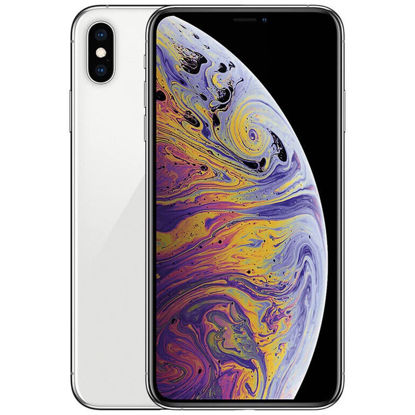
Apple iPhone Xs Max, 512GB, Silver - For AT&T (Renewed)
This device is locked to AT&T only and not compatible with any other carrier. | The device does not come with headphones or a SIM card. It does include a charger and charging cable that may be generic, in which case it will be UL or Mfi (Made for iPhone) Certified. | Inspected and guaranteed to have minimal cosmetic damage, which is not noticeable when the device is held at arms length. | Successfully passed a full diagnostic test which ensures like-new functionality and removal of any prior-user personal information. | Tested for battery health and guaranteed to have a minimum battery capacity of 80%.
₹31,888.96
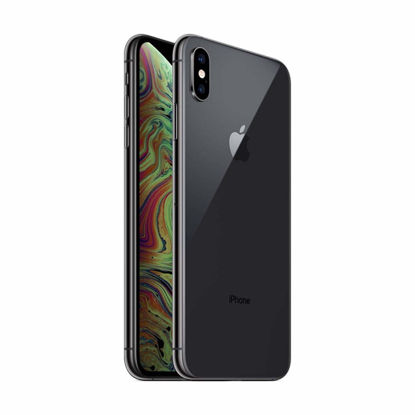
Apple iPhone XS Max, US Version, 256GB, Space Gray - AT&T (Renewed)
This device is locked to AT&T only and not compatible with any other carrier. | Tested for battery health and guaranteed to have a minimum battery capacity of 80%. | Successfully passed a full diagnostic test which ensures like-new functionality and removal of any prior-user personal information. | The device does not come with headphones or a SIM card. It does include a generic (Mfi certified) charger and charging cable. | Inspected and guaranteed to have minimal cosmetic damage, which is not noticeable when the device is held at arm's length.
₹24,684.99
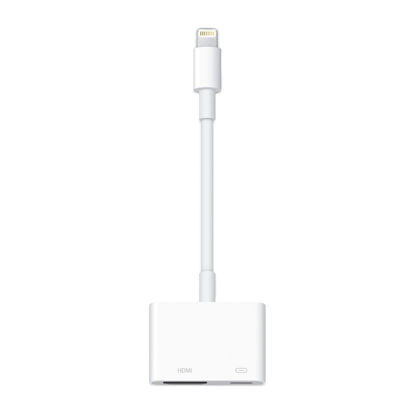
Apple Lightning to Digital AV Adapter
Use the Lightning Digital AV Adapter with your iPhone, iPad, or iPod with Lightning connector. | The Lightning Digital AV Adapter supports mirroring of what is displayed on your device screen - including apps, presentations, websites, slideshows, and more - to your HDMI-equipped TV, display, projector, or other compatible display in up to 1080p HD. | It also outputs video content - movies, TV shows, captured video - to your big screen in up to 1080p HD. | Simply attach the Lightning Digital AV Adapter to the Lightning connector on your device and then to your TV or projector via an HDMI cable (sold separately). | Requires an HDMI cable (sold separately) for connection to your TV or projector. Supports both video and audio output.
₹4,940.07
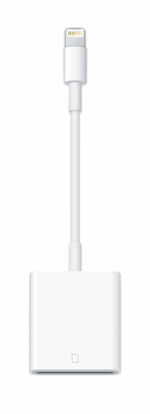
Apple Lightning to SD Card Camera Reader
With the Lightning to SD Card Camera Reader, it’s easy to download photos and videos from your digital camera to your iPad so you can view them on the gorgeous Retina display and share them with family and friends. | After you insert the SD card into the reader, your iPad automatically opens the Photos app, which organizes your photos into Moments, Collections, and Years. | The Lightning to SD Card Camera Reader supports data transfer speeds up to USB 3, standard photo formats, including JPEG and RAW, along with SD and HD video formats, including H.264 and MPEG-4. (USB 3 speeds exclusive to iPad Pro. All other iPad models support USB 2 speeds.)
₹3,304.29
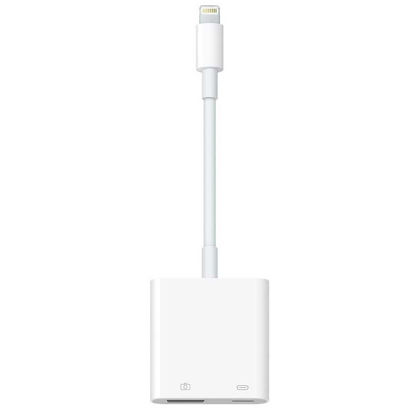
Apple Lightning to USB 3 Camera Adapter
With the Lightning to USB 3 Camera Adapter, it’s easy to transfer photos and videos from your high-resolution digital camera to your iPad Pro. | After you connect the Lightning to USB 3 Camera Adapter, your iPad Pro automatically opens the Photos app, which lets you choose photos and videos to import, then organizes them into albums. | Add even greater capability and versatility to your iPad Pro by powering the Lightning to USB 3 Camera Adapter with a USB Power Adapter. Then you can connect USB peripherals like hubs, Ethernet adapters, audio/MIDI interfaces, and card readers for CompactFlash, SD, microSD, and more. | The Lightning to USB 3 Camera Adapter supports standard photo formats, including JPEG and RAW, along with SD and HD video formats, including H.264 and MPEG-4. | The 12.9-inch iPad Pro (1st and 2nd generation) and 10.5-inch iPad Pro transfers data at USB 3 speeds, while the 9.7-inch iPad Pro uses USB 2.
₹3,401.48
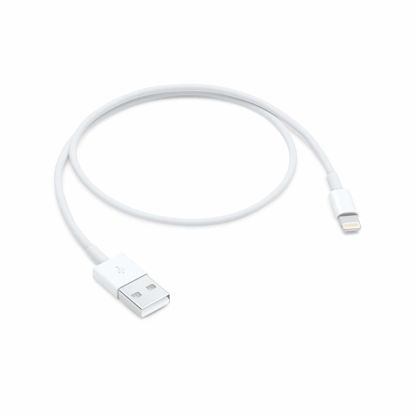
Apple Lightning to USB Cable (0.5 m)
This USB 2.0 cable connects your iPhone, iPad, Mac, AirPods or iPod with Lightning Connector to your computer's USB port for syncing and charging. | You can connect to the Apple USB power adapter for convenient charging from a wall outlet. | Cable Length: .5 meter
₹2,281.29
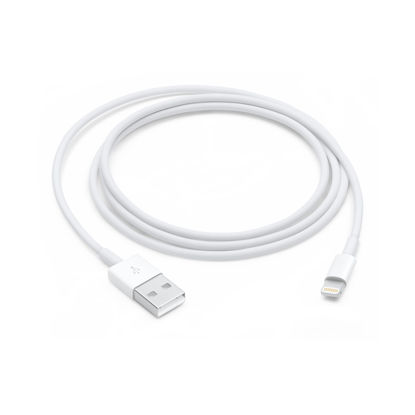
Apple Lightning to USB Cable (1 m)
Use the Lightning to USB Cable to charge and sync your iPhone, iPad, or iPod with Lightning connector to your Mac or Windows PC. | This USB 2.0 cable connects your iPhone, iPad, or iPod with Lightning connector to your computer’s USB port for syncing and charging. Or you can connect to the Apple USB Power Adapter for convenient charging from a wall outlet. | USB power adapters sold separately. | Cable Length: 1 meter or 3 feet
₹1,872.09
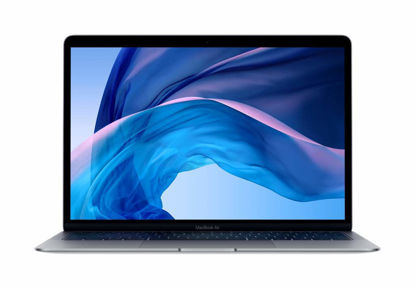
Apple MacBook Air (13-inch Retina display, 1.6GHz dual-core Intel Core i5, 128GB) - Space Gray (Renewed)
Stunning 13.3-inch Retina display | Touch ID and the latest Apple-designed keyboard | Dual-core 8th-generation Intel Core i5 processor with Intel UHD Graphics 617 | Fast SSD storage and 8GB memory | Stereo speakers with wider stereo sound
₹30,229.65
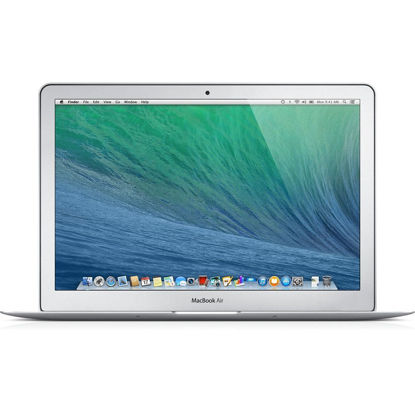
Apple MacBook Air 13.3-Inch Laptop MD760LL/B, 1.4 GHz Intel i5 Dual Core Processor (Renewed)
1.4 GHz Dual-Core Intel Core i5 (Turbo Boost up to 2.7GHz) with 3MB shared L3 cache | 4 GB of 1600 MHz LPDDR3 onboard memory | 128 GB PCIe-based flash storage | 13.3-inch LED-backlit glossy widescreen display; Intel HD Graphics 5000, OS X Mavericks; Up to 12 hours of battery life
₹21,122.91
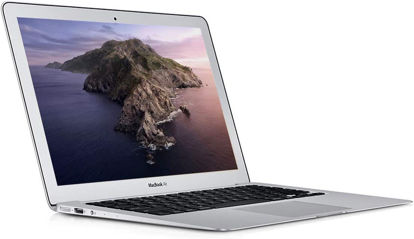
Apple MacBook Air 13-inch Laptop 1.6GHz Core i5, MJVE2LL/A, 4GB RAM, 256GB SSD (Renewed)
Renewed products look and work like new. These pre-owned products have been inspected and tested by Amazon-qualified suppliers, which typically perform a full diagnostic test, replacement of any defective parts, and a thorough cleaning process. Packaging and accessories may be generic. All products on Amazon Renewed come with a minimum 90-day supplier-backed warranty.
₹20,265.63
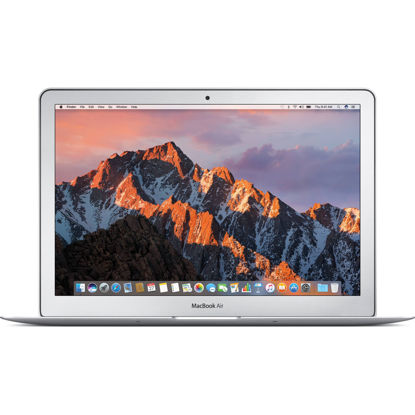
Apple Macbook Air 2017 with 1.8GHz Intel Core i5 (13-inch, 8GB RAM, 128GB SSD Storage) (QWERTY English) Silver (Renewed)
1.8 GHz Intel Core i5 Dual-Core, 8GB of 1600 MHz LPDDR3 RAM | 128GB SSD | Integrated Intel HD Graphics 6000, 13.3" 1440 x 900 Glossy Display | 802.11ac Wi-Fi, Bluetooth 4.0, Thunderbolt 2, USB 3.0 | 720p FaceTime HD Camera, SDXC Card Slot, Stereo Speakers, Dual Built-In Mics | Slim, Lightweight Design, macOS Sierra
₹22,045.65
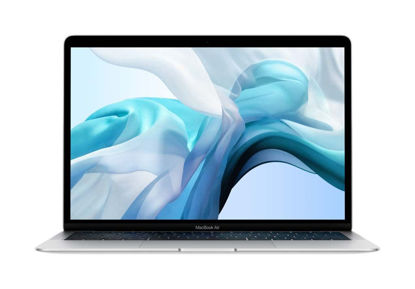
Apple MacBook Air 2020 13.3-inch (Apple M1 Chip, 16GB RAM, 512GB SSD Storage) - Silver (Renewed)
Apple M1 chip with 8-core CPU and 7-core GPU | 16-core Neural Engine | 16GB unified memory | 512GB SSD storage
₹61,358.52
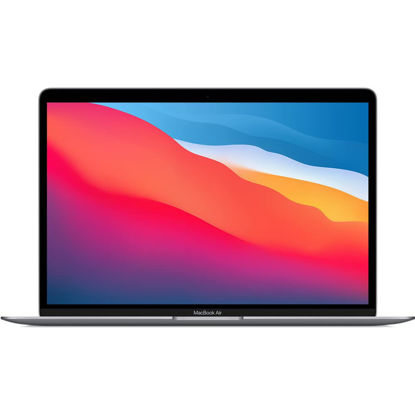
Apple MacBook Air 2020 13.3-inch (Apple M1 Chip, 8GB RAM, 128GB SSD Storage) - Space Gray (Renewed)
Retina display; 13.3-inch (diagonal) LED-backlit display with IPS technology (2560x1600 native resolution) | Apple M1 chip with 8 cores (4 performance cores and 4 efficiency cores), a 7-core GPU and a 16-core Neural Engine | 8GB memory | 128GB SSD | Backlit Magic Keyboard | Touch ID sensor | 720p FaceTime HD camera | 802.11ax Wi-Fi 6 wireless networking, IEEE 802.11a/b/g/n/ac compatible | Bluetooth 5.0 wireless technology
₹40,747.12
Apple MacBook Air 2020 13.3-inch (Apple M1 Chip, 8GB RAM, 1TB SSD Storage) - Space Gray (Renewed)
This pre-owned product is not Apple certified, but has been professionally inspected, tested and cleaned by Amazon-qualified suppliers. | There will be no visible cosmetic imperfections when held at an arm’s length. | This product will have a battery which exceeds 80% capacity relative to new. | Accessories will not be original, but will be compatible and fully functional. Product may come in generic Box. | This product is eligible for a replacement or refund within 90 days of receipt if you are not satisfied.
₹66,034.65
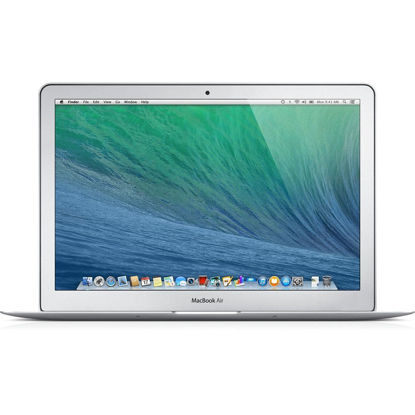
Apple MacBook Air MD760LL/A Intel Core i5-4250U X2 1.3GHz 8GB 128GB SSD 13.3in, Silver (Renewed)
Intel core i5-4250u 1.3ghz | 8GB Ram, 128GB SSD | Intel HD Graphics 5000 | Connectivity includes 802.11ac Wi-Fi, Bluetooth 4.0, analog audio out, a "Thunderbolt" port, two USB 3.0 ports, and an SDXC-capable SD card slot. It lacks internal Ethernet | integrated 720p "FaceTime HD" webcam, a backlit full-size keyboard and an 13.3" widescreen TFT LED backlit active-matrix "glossy" display
₹21,022.65
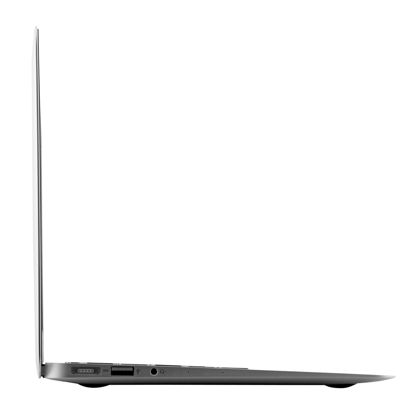
Apple MacBook Air with Intel Core i5, 1.6GHz, (13-inch, 4GB,128GB SSD) - Silver (Renewed)
1.6 GHz dual-core Intel Core i5 (Turbo Boost up to 2.7 GHz) with 3 MB shared L3 cache | 13.3-Inch (diagonal) LED-backlit Glossy Widescreen Display, 1440 x 900 resolution | Intel HD Graphics 6000 | OS X Yosemite, Up to 12 Hours of Battery Life
₹16,710.71
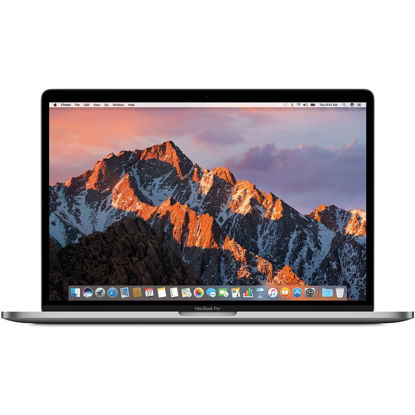
Apple MacBook Pro 13.3in Retina Laptop Intel i5 Dual Core 2.6GHz 8GB 128GB SSD - MGX72LL/A (Renewed)
13.3" Retina LED Glossy 2560x1600 Display, Precision aluminum unibody enclosure, Mac OS X 10.9.4 | Intel Core i5-4278U 2.6GHz Dual Core Processor, 3.6GHz Max Turbo Frequency, 3MB L3 Cache | 8 GB DDR3L SDRAM, 128 GB SSD Hard Drive, No optical drive, Intel Iris 5100 Graphics, Integrated audio with built-in stereo speakers | Built-in omnidirectional microphone, No Ethernet, 802.11ac WiFi, Built-in Bluetooth 4.0, Built-in 720p FaceTime HD camera
₹24,091.65
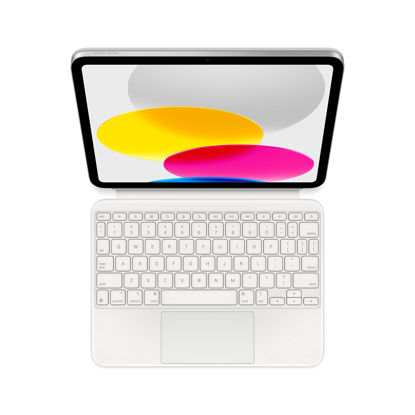
Apple Magic Keyboard Folio: iPad Keyboard and case for iPad (10th Generation), Detachable Two-Piece Design That attaches magnetically, Built-in trackpad, US English - White
WHY MAGIC KEYBOARD FOLIO - The perfect iPad companion, Magic Keyboard Folio features a great typing experience, a built-in trackpad to handle tasks with precision, a 14-key function row, and a two-piece design that includes a detachable keyboard and protective back panel that both attach magnetically to iPad for front and back protection. No charging or pairing required. Simply attach it and start typing. | COMPATIBILITY - Magic Keyboard Folio works with iPad (10th generation). | DESIGNED FOR COMFORT - Magic Keyboard Folio features a versatile two-piece design that includes a detachable keyboard and a protective back panel that attach magnetically. The large click-anywhere trackpad supports Multi‑Touch gestures and using a cursor. | PROTECTIVE KEYBOARD AND CASE - The back panel has an adjustable stand for smooth, continuous viewing. And the case helps iPad stay protected wherever you go. | KEYBOARD LANGUAGES - Arabic, British English, Chinese (Pinyin), Chinese (Zhuyin), Danish, French, German, Italian, Japanese, Korean, Portuguese, Russian, Spanish (Latin America), Spanish (Spain), Swiss, Ukrainian, US English.
₹21,134.16
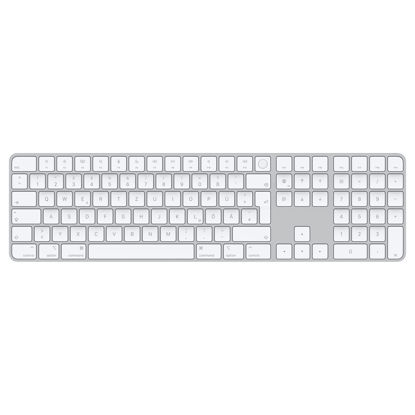
Apple Magic Keyboard with Touch ID and Numeric Keypad: Wireless, Bluetooth, Rechargeable. Works with Mac Computers with Apple Silicon; German - White Keys
WIRELESS, RECHARGEABLE CONVENIENCE - Magic Keyboard with Touch ID and Numeric Keypad connects wirelessly to your Mac via Bluetooth. And the rechargeable internal battery means no loose batteries to replace. The numeric keypad is ideal for spreadsheets and finance applications. | WORKS WITH ANY MAC WITH APPLE SILICON - It pairs automatically with your Mac with Apple silicon so you can get to work right away. See the list of compatible devices above. Requires a Mac with Apple silicon using macOS 11.4 or later. | ENHANCED TYPING EXPERIENCE - Magic Keyboard delivers a remarkably comfortable and precise typing experience. Its extended layout features document navigation controls for quick scrolling and full-size arrow keys. | QUICK UNLOCK WITH TOUCH ID - Touch ID gives you a fast, easy, secure way to unlock your Mac and sign in to apps and sites. | GO WEEKS WITHOUT CHARGING - The incredibly long-lasting internal battery will power your keyboard for about a month or more between charges. (Battery life varies by use.) Comes with a woven USB-C to Lightning Cable that lets you pair and charge by connecting to a USB-C port on your Mac.
₹10,802.88
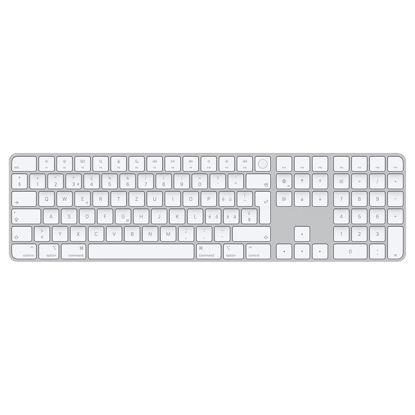
Apple Magic Keyboard with Touch ID and Numeric Keypad: Wireless, Bluetooth, Rechargeable. Works with Mac Computers with Apple Silicon; Swiss - White Keys
WIRELESS, RECHARGEABLE CONVENIENCE - Magic Keyboard with Touch ID and Numeric Keypad connects wirelessly to your Mac via Bluetooth. And the rechargeable internal battery means no loose batteries to replace. The numeric keypad is ideal for spreadsheets and finance applications. | WORKS WITH ANY MAC WITH APPLE SILICON - It pairs automatically with your Mac with Apple silicon so you can get to work right away. See the list of compatible devices above. Requires a Mac with Apple silicon using macOS 11.4 or later. | ENHANCED TYPING EXPERIENCE - Magic Keyboard delivers a remarkably comfortable and precise typing experience. Its extended layout features document navigation controls for quick scrolling and full-size arrow keys. | QUICK UNLOCK WITH TOUCH ID - Touch ID gives you a fast, easy, secure way to unlock your Mac and sign in to apps and sites. | GO WEEKS WITHOUT CHARGING - The incredibly long-lasting internal battery will power your keyboard for about a month or more between charges. (Battery life varies by use.) Comes with a woven USB-C to Lightning Cable that lets you pair and charge by connecting to a USB-C port on your Mac.
₹10,802.88
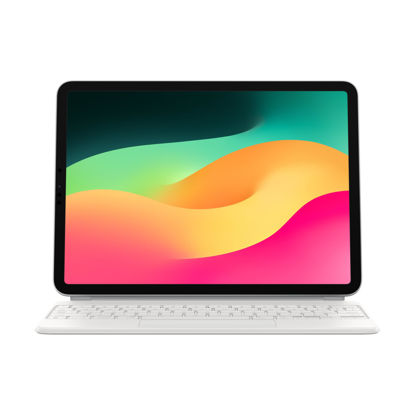
Apple Magic Keyboard: iPad Keyboard case for iPad Pro 11-inch (1st, 2nd, 3rd, 4th gen) and iPad Air (4th, 5th gen, and M2), Great Typing Experience, Built-in trackpad, US English - White
WHY MAGIC KEYBOARD - The perfect companion for iPad Pro and iPad Air, Magic Keyboard features a great typing experience, a trackpad, backlit keys, a USB‑C port for pass‑through charging, and front and back protection. No charging or pairing required. Simply attach it and start typing. | COMPATIBILITY - Magic Keyboard works with iPad Pro 11‑inch (1st, 2nd, 3rd, and 4th generation); and iPad Air (4th and 5th generation). | KEYBOARD LANGUAGES - Arabic, British English, Chinese (Pinyin), Chinese (Zhuyin), Danish, French, German, Italian, Japanese, Korean, Portuguese, Russian, Spanish (Latin America), Spanish (Spain), Swiss, Ukrainian, US English. | DESIGNED FOR COMFORT - Magic Keyboard has a floating cantilever design. It smoothly adjusts to the perfect viewing angle. Backlit keys and a scissor mechanism deliver quiet, responsive typing. The built-in trackpad is designed for Multi‑Touch gestures and using a cursor. | PROTECTIVE KEYBOARD AND CASE - Folds to provide front and back protection wherever you go. Available in black or white.
₹30,678.75
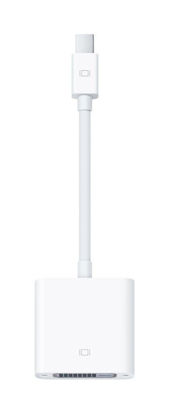
Apple Mini DisplayPort to DVI Adapter
The Mini DisplayPort to DVI Adapter lets you connect an advanced digital monitor, such as the 20- or 23-inch Apple Cinema Display, to a Mac with a Mini DisplayPort or Thunderbolt port | Compatible with Mac computers with Mini DisplayPort or Thunderbolt ports | Connect an external display or projector using an adapter
₹2,889.98
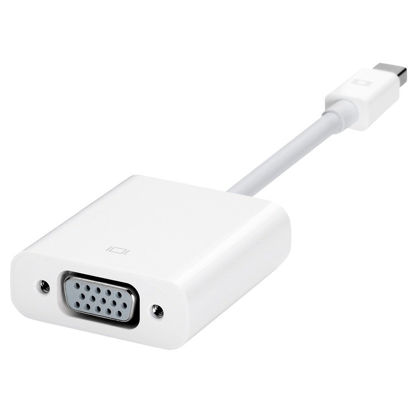
Apple Mini DisplayPort to VGA Adapter MB572Z/B
The Mini DisplayPort to VGA Adapter lets you connect a standard analog monitor, projector, or LCD that uses a VGA connector or cable to a Mac with a Mini DisplayPort or Thunderbolt port. | Compatible with Mac computers with Mini DisplayPort or Thunderbolt ports | Connect an external display or projector using an adapter
₹1,888.46
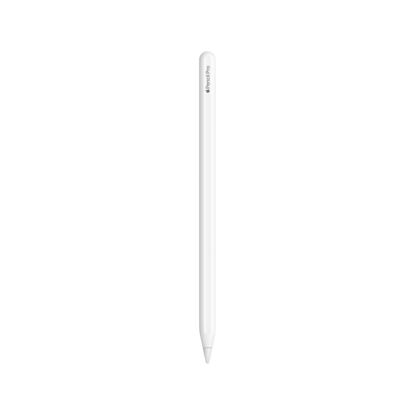
Apple Pencil Pro: Advanced Tools, Pixel-Perfect Precision, Tilt and Pressure Sensitivity, and Industry-Leading Low Latency for Note-Taking, Drawing, and Art. Attaches, Charges, and Pairs Magnetically
WHY APPLE PENCIL PRO - Apple Pencil Pro is loaded with intuitive features for ultimate creative control. Gestures and haptics allow you to seamlessly create without missing a beat. And Apple Pencil Pro features pixel-perfect precision, tilt and pressure sensitivity, and low latency. Attaches magnetically for wireless pairing and charging. | COMPATIBILITY - Apple Pencil Pro works with iPad Pro 13-inch (M4), iPad Pro 11-inch (M4), iPad Air 13-inch (M2), iPad Air 11-inch (M2) and iPad mini (A17 Pro). | ADVANCED TOOLS - Apple Pencil Pro gives you ultimate creative control. Use gestures like squeeze and barrel roll to access tools, change brushes, and create strokes without missing a beat. Haptics allow you to feel shapes snap into place, and more. Use Apple Pencil hover on iPad Pro and iPad Air (M2) to preview your mark before you make it. And now you can use Find My to locate your Apple Pencil Pro. | EASY AND NATURAL - Apple Pencil Pro does it all with pixel-perfect precision, tilt and pressure sensitivity, and low latency. Featuring a flat edge, Apple Pencil Pro allows you to change tools with just the tap of a finger. Apple Pencil Pro attaches, charges, and pairs magnetically. | TRANSFORMS IPAD INTO A CANVAS - Draw, sketch, color, take notes, and mark up documents. Use built-in apps like Notes and Freeform, or choose from over a million more apps available on the App Store. And for pros, use Apple Pencil hover on iPad Pro and iPad Air (M2) to preview your mark before you make it. | Apple Pencil Pro is sold separately. Compatible with iPad Pro (M4) and iPad Air (M2).
₹10,055.07
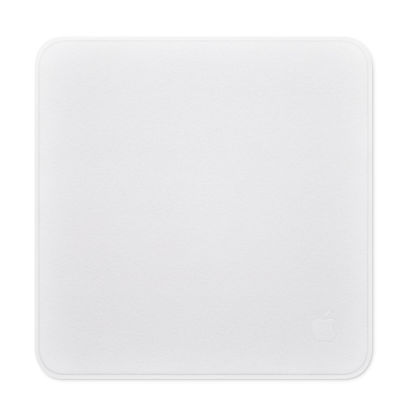
Apple Polishing Cloth
Made with soft, nonabrasive material | The Polishing Cloth cleans any Apple display, including nano-texture glass, safely and effectively | Compatibility: Safe for use with all iPhones, iPads, Apple Watch, iPods, Macs and Apple displays with nano-texture glass.
₹2,281.29
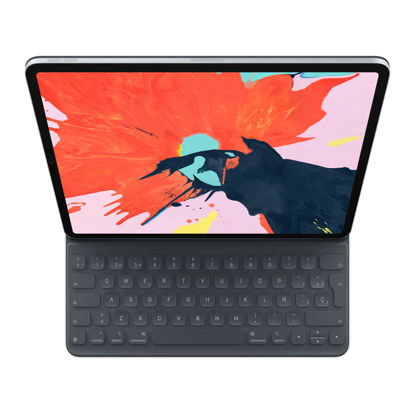
Apple Smart Keyboard Folio (for 12.9-inch iPad Pro, 3rd Generation) - Spanish
The new Smart Keyboard Folio is designed to deliver a great typing experience on a full-size keyboard whenever you need it. | No need for batteries or pairing. Its durable lightweight cover protects both the front and back of your new 12.9-inch iPad Pro. | Simply attach to your new iPad Pro and type away. | Compatible with 12.9-inch iPad Pro (3rd generation).
₹4,983.04
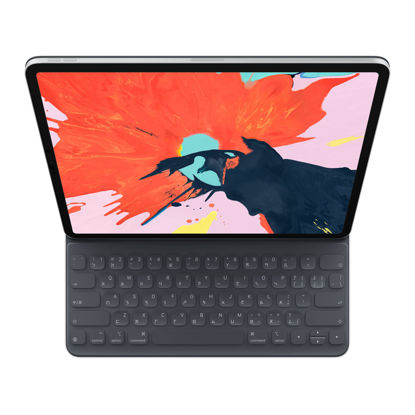
Apple Smart Keyboard Folio (for 12.9-inch iPad Pro, 3rd Generation) - Traditional Chinese - Cangjie & Zhuyin
The new Smart Keyboard Folio is designed to deliver a great typing experience on a full-size keyboard whenever you need it. | No need for batteries or pairing. Its durable lightweight cover protects both the front and back of your new 12.9-inch iPad Pro. | Simply attach to your new iPad Pro and type away. | Compatible with 12.9-inch iPad Pro (3rd generation).
₹6,808.07
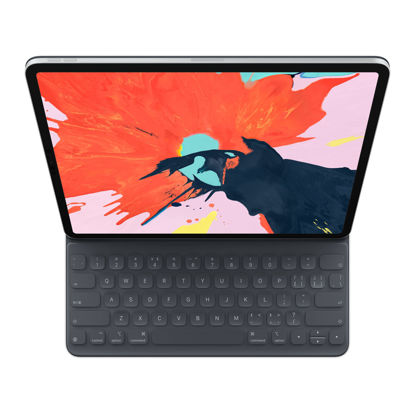
Apple Smart Keyboard Folio (for iPad Pro 12.9-inch, 3rd Generation) - Chinese - Pinyin
The new Smart Keyboard Folio is designed to deliver a great typing experience on a full-size keyboard whenever you need it. | No need for batteries or pairing. Its durable lightweight cover protects both the front and back of your new 12.9-inch iPad Pro. | Simply attach to your new iPad Pro and type away. | Compatible with 12.9-inch iPad Pro (3rd generation).
₹4,983.04
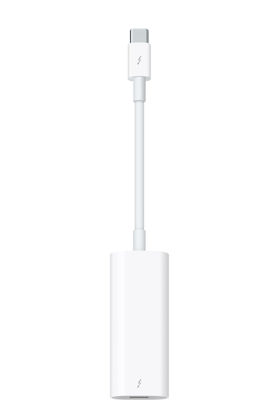
Apple Thunderbolt 3 (USB-C) to Thunderbolt 2 Adapter
The Thunderbolt 3 (USB-C) to Thunderbolt 2 adapter lets you connect Thunderbolt and Thunderbolt 2 devices - external hard drives and Thunderbolt displays, for example - to any of the Thunderbolt 3 (USB-C) ports on your MacBook Pro. | As a bidirectional adapter, it can also connect new Thunderbolt 3 devices to a mac with a Thunderbolt or Thunderbolt 2 port. | In addition, it can be used to connect Thunderbolt-enabled displays - such as the Apple Thunderbolt Display and LG Thunderbolt 2 displays - to any of the Thunderbolt 3 (USB-C) ports on your MacBook Pro. However, using this adapter with an Apple Thunderbolt Display requires a power source, because th | Note: This adapter does not support DisplayPort displays like the Apple LED Cinema Display or third-party DisplayPort and Mini DisplayPort displays. | Compatible with iPad mini, iPad Pro, MacBook Air, MacBook Pro, iMac, Mac Pro and Mac mini with thunderbolt ports
₹5,350.29
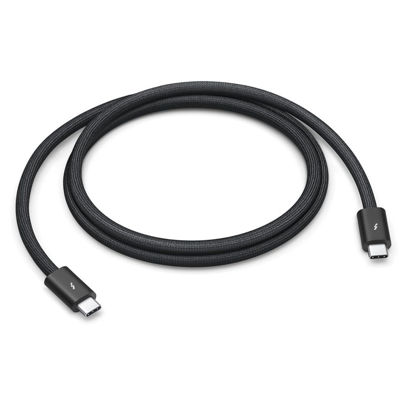
Apple Thunderbolt 4 (USB‑C) Pro Cable (1 m)
Featuring a black braided design that coils without tangling, this 1.8-meter cable supports Thunderbolt 3, Thunderbolt 4, and USB 4 data transfer up to 40Gb/s, USB 3 data transfer up to 10Gb/s, DisplayPort video output (HBR3), and charging up to 100W. | Use this cable to connect a Mac with Thunderbolt 3 or 4 (USB-C) ports to Thunderbolt (USB-C) and USB displays and devices such as Studio Display, Pro Display XDR, docks, and hard drives. You can also use this cable to connect iPhone 15 Pro to Mac. | Compatible with Studio Display, Pro Display, iPad and Mac | Braided design that coils without tangling
₹5,350.29
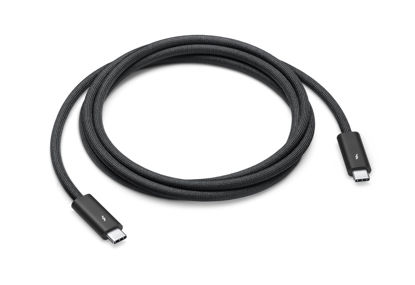
Apple Thunderbolt 4 (USB-C) Pro Cable (1.8 m)
Featuring a black braided design that coils without tangling, this 1.8-meter cable supports Thunderbolt 3, Thunderbolt 4, and USB 4 data transfer up to 40Gb/s, USB 3.1 Gen 2 data transfer up to 10Gb/s, DisplayPort video output (HBR3), and charging up to 100W. | Use this cable to connect a Mac with Thunderbolt 3 or 4 (USB-C) ports to Thunderbolt (USB-C) and USB displays and devices such as Studio Display, Pro Display XDR, docks, and hard drives. | You can daisy-chain up to six Thunderbolt 3 devices | Compatible with Studio Display, Pro Display, iPad and Mac
₹13,534.29
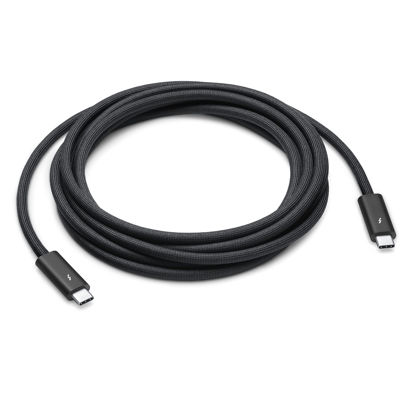
Apple Thunderbolt 4 (USB-C) Pro Cable (3 m)
Featuring a black braided design that coils without tangling, this 3-meter cable supports Thunderbolt 3, Thunderbolt 4, and USB 4 data transfer up to 40Gb/s, USB 3.1 Gen 2 data transfer up to 10Gb/s, DisplayPort video output (HBR3), and charging up to 100W. | Use this cable to connect a Mac with Thunderbolt 3 or 4 (USB-C) ports to Thunderbolt (USB-C) and USB displays and devices such as Studio Display, Pro Display XDR, docks, and hard drives. | You can daisy-chain up to six Thunderbolt 3 devices | Compatible with Studio Display, Pro Display, iPad and Mac
₹16,603.29
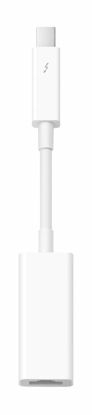
Apple Thunderbolt to Gigabit Ethernet Adapter
The Apple Thunderbolt to Gigabit Ethernet Adapter lets you easily connect to a high-performance Gigabit Ethernet network. | Thunderbolt-equipped Mac computer | Supports 10/100/1000BASE-T networks. | System requirement:OS X v10.7.4 or later
₹3,304.29
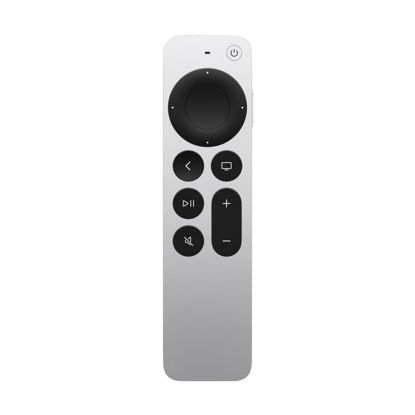
Apple TV Siri Remote (3rd Generation)
The Siri Remote (3rd generation) brings precise control to your Apple TV 4K. | Its touch-enabled clickpad lets you select titles, swipe through playlists, and use a circular gesture on the outer ring to find just the scene you’re looking for. | With Siri, you can find what you want to watch using your voice. | Includes a USB-C port to quickly recharge. | Compatible with Apple TV 4K (3rd generation), Apple TV 4K (2nd generation), Apple TV 4K (1st generation), and Apple TV HD
₹6,334.42
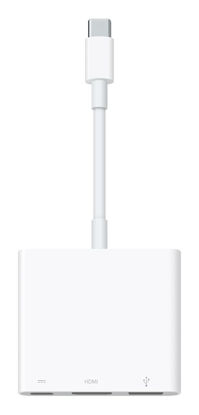
Apple USB-C Digital AV Multiport Adapter
The USB-C digital AV multiport adapter lets you connect your USB-C enabled Mac or iPad to an HDMI display, while also connecting a standard USB device and a USB-C charging cable. | This adapter allows you to mirror your Mac Display to your HDMI-enabled TV or display | Simply connect the adapter to a USB-C or Thunderbolt 3 (USB-C) port on your Mac or select iPad model and then to your TV or projector via an HDMI cable (sold separately). | Use the standard USB port to connect devices such as your flash drive or camera or a USB cable for syncing and charging your iOS devices. | Requires an HDMI cable (sold separately) for connection to your TV or projector. Supports both video and audio output.
₹7,396.29
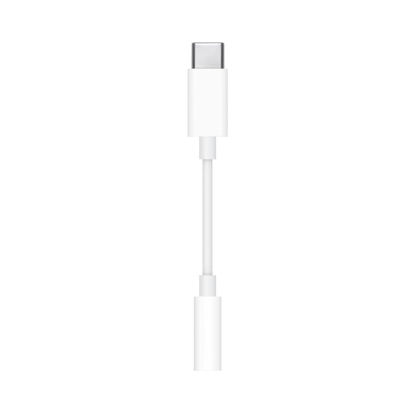
Apple USB-C to 3.5 mm Headphone Jack Adapter
The USB-C to 3.5mm Headphone Jack Adapter lets you connect devices that use a standard 3.5mm audio plug - like headphones or speakers - to your USB-C devices | Works with all devices that have a USB-C connector and support iOS 10 or later. | Compatible with iMac, MacBook Air, MacBook Pro and Mac mini featuring a USB-C port | Item Package Dimension: 2.67L x 2.63W x 0.66H inches | Item Package Weight - 0.022 Pounds
₹1,258.29
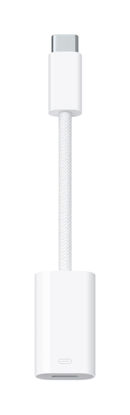
Apple USB-C to Lightning Adapter
The USB-C to Lightning Adapter lets you connect your Lightning accessories to a USB-C-enabled iPhone or iPad to conveniently provide three key functions-charging, data, and audio-with a single adapter. This adapter has a braided cable for added durability. | Plug the USB-C end of the adapter into the USB-C connector on your iPhone or iPad, then connect your Lightning accessory. | This adapter supports connection to most cars including those that work with CarPlay. You can also directly connect a USB cable from your car into the USB-C connector on your iPhone.
₹2,281.29
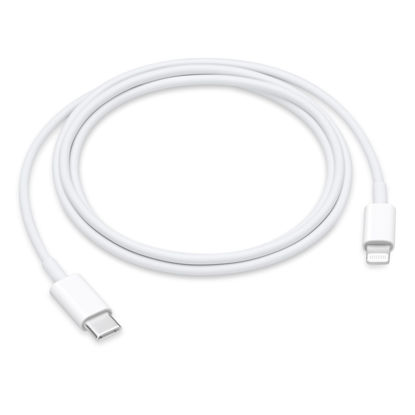
Apple USB-C to Lightning Cable (1 m)
Connect your iPhone, iPad, or iPod with Lightning connector to your USB-C or Thunderbolt 3 (USB-C) enabled Mac for syncing and charging, or to your USB-C enabled iPad for charging. | You can also use this cable with your Apple 18W, 20W, 29W, 30W, 61W, 87W or 96W USB‑C Power Adapter to charge your iOS device and even take advantage of the fast-charging feature on select iPhone and iPad models. | USB-C power adapters sold separately. | Cable Length: 1 meter or 3 feet
₹1,715.58
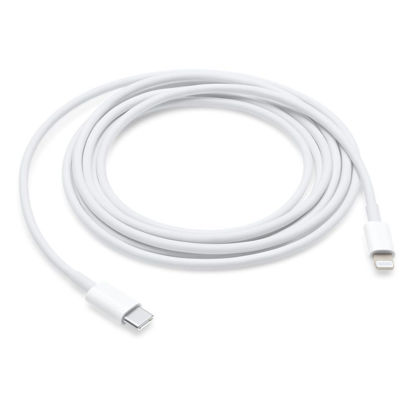
Apple USB-C to Lightning Cable (2 m)
Connect your iPhone, iPad, or iPod with Lightning connector to your USB-C or Thunderbolt 3 (USB-C) enabled Mac for syncing and charging, or to your USB-C enabled iPad for charging. | You can also use this cable with your Apple 18W, 20W, 29W, 30W, 61W, 87W or 96W USB‑C Power Adapter to charge your iOS device and even take advantage of the fast-charging feature on select iPhone and iPad models. | USB-C power adapters sold separately. | Cable Length: 2 meter or 6 feet
₹2,792.79
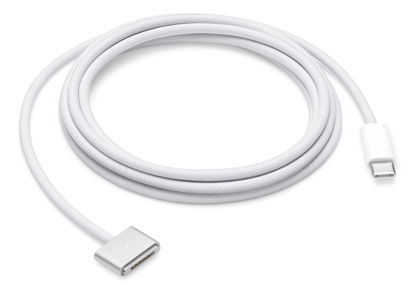
Apple USB-C to Magsafe 3 Cable (2 m)
This 2-meter charge cable features a magnetic MagSafe 3 connector that helps guide the plug to the charging port of your Mac notebook. | Pair it with a compatible USB-C power adapter to conveniently charge your notebook from a wall outlet and take advantage of fast-charging capabilities. | The magnetic connection is strong enough to resist most unintended disconnects, but if someone trips on the cable, | it releases so your Mac notebook stays put. An LED turns amber when the battery is charging and green when it’s fully charged. Made with a woven design for long-lasting durability. | USB-C Power Adapter sold separately.
₹6,884.79
About us

Shop From Catalogue Of USA Bestsellers
Many times, we want to purchase products from USA simply because they are not available in India or the cost might be high. Generally, we think that the process of delivering the products from USA to India would be very expensive and complicated. But, now, you won't be disappointed, GetUSCart is here for you. Here, you can shop from catalogue of USA bestsellers.
Fast Shipping From USA To India - 7 To 10 Working Days
Are you in thought of shipping USA products to India will take much time? If your answer is yes, it’s absolutely not correct. GetUSCart is behind you to provide fast shipping from USA to India - 7 to 10 working days. GetUSCart is behind you to provide fast shipping from USA to India - 7 to 10 working days. Shop with GetUSCart and get shipped all your favorite products quickly from USA to India.


Low Shipping Cost From USA To India
You don't think about the shipping cost when you are buying USA products at GetUSCart. Literally, you will surprise when you see the shipping price on your ordered products. You can save more money with our low shipping cost from USA to India. Get all our products including beauty & personal care products, office products, toys, electronics and many others with less shipping charges.
No Hassles Of Custom Clearance In India
When items ship from USA to India, they have to go through customs before they will be released for final delivery. So, GetUSCart is responsible for all this custom clearance procedure for our products. We will pay custom duties, fees, taxes and etc. GetUSCart delivers your product without any issues regarding custom clearance.


Get Delivered Your Favourite Product From USA To Doorsteps In India
If you like the United States products, shop at GetUSCart whatever you need. And, get it delivered from USA to your own home in India with no stress. Simply place an order of your favorite products through our GetUSCart website or app. We will ship and deliver them from USA to India.
Don't Find A Product In Our Catalogue. Request A Product Now!
Find products whatever you want in our catalogue. We have various categories of products such as Electronics, Clothing, Shoes & Jewelry, Arts, Crafts & Sewing, Office Products, Toys & Games, Baby Products, Devices & Accessories, Kitchen & Dining, Cameras, Patio, Lawn & Garden, Musical Instruments, Beauty & Personal Care, etc. If you didn’t find your favorite product, you can request us by entering that product details.

K M Enterprises
Suite 311, AKM Dharma Rao Signature
Madinaguda, Hyderabad - 500049
email: [email protected]
All major credit, debit cards, net banking, wallets accepted securely
