







Cookies help us deliver our services. By using our services, you agree to our use of cookies.



chenyang
chenyang
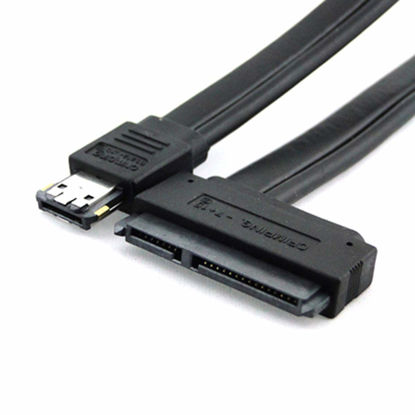
chenyang Dual Power 12V and 5V eSATAp Power ESATA USB 2.0 Combo to 22Pin SATA Cable for 2.5" 3.5" Hard Disk Drive 50cm
Can connect your 2.5 or 3.5 SATA Hard Disk Drive ( HDD) externally to any free Power Over eSATA (eSATAp) port. | Does not require any additional power supply for a 2.5 or 3.5 HDD. Power Over eSATA port combines eSATA and USB and enables, by help of the two gold contacts, a power supply of 12 V. | Can be connected to a 5 V eSATAp port, so that you will get only the required 5 V for running your 2.5 HDD. (Please make sure your power esata port support 12V if you want connect the 3.5" HDD directly) | System requirements : Notebook or PC with a free Power Over eSATA Port 5 V or 12 V | Dual Power 12V and 5V Power Over eSATA (eSATAp) USB 2.0 combo to 22Pin SATA cable 0.5 m
₹1,359.57
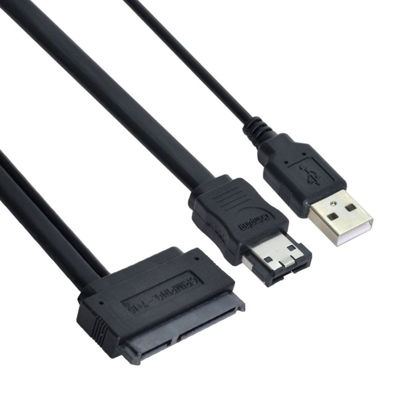
chenyang eSATA to SATA 22Pin Data Transfer Extension Cable with USB 2.0 Power Support 5V Power for 2.5" Hard Disk Drive 50cm
Please note that USB 2.0 is only for power supply, not for data transmission through USB 2.0 port. | The cable can connect a 2.5-inch SATA hard drive directly to the eSATA interface. | The hard drive is powered by the computer's USB interface. | First connect the SATA connector to the 2.5-inch SATA hard drive socket and the eSATA connector to the eSATA connector on the computer. | Then connect the USB connector to the USB port on the computer.
₹1,359.57
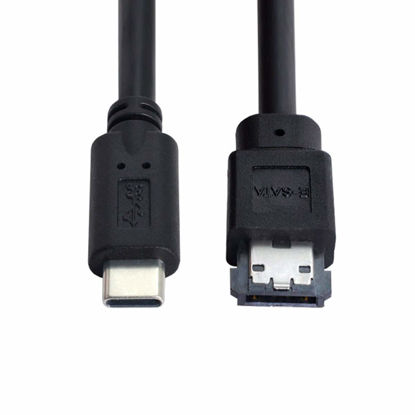
chenyang eSATA to USB C Cable USB Type C Male Host to eSATA eSATAp HDD Cable for Laptop PC(The USB C Port Must be Connected to The PC)
USB C connects to the host and Power eSATA connects to the hard drive. Reverse connections are not supported. | Provide DC 5V power for power eSATA port. (not power for eSATA port) | Support transfer rates up to 5Gbps for fast access to external storage | Can connect USB-C-enabled computer or laptop, (e,g for Dell OptiPlex or MacBook ) to SATA drive | Can connect any external eSATA hard drive (HDD), solid state drive (SSD), or optical disc drive (ODD) through the USB-C port on your laptop or desktop.
₹2,689.47
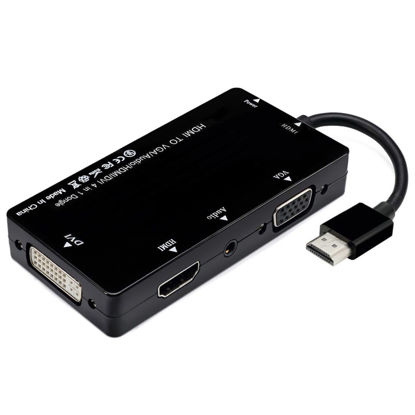
chenyang HDMI to VGA & Audio & HDMI & DVI 4in1 Dongle Adapter Multiport Splitter Converter for PS3 HDTV PC Monitor Projector
If you connect VGA to Monitor from your laptop,and VGA can not transmit audio,audio can only be connected through connecting the audio cable from the adapter to external speakers. | If you connect to display 2 monitors at the same time,please be well known that your all 2 external monitors will show the same images. | VGA and HDMI can connect at the same time,VGA and DP can connect at the same time,but HDMI and DP can not connect at the same time. | Support external power supply. When connect high power devices or the device is in low battery, you could connect External Power Supply via Micro B-5V power port to charge your adapter. | Transmit both audio and video from computer or tablet to HD TV via HDMI. Support video resolutions up to 1920x1080p (Full HD) and flawless audio pass-thru. Support audio output via VGA with connecting Audio interface external speaker needed for voice. When connect to monitors , all ports need a speaker to get audio out.
₹2,280.27
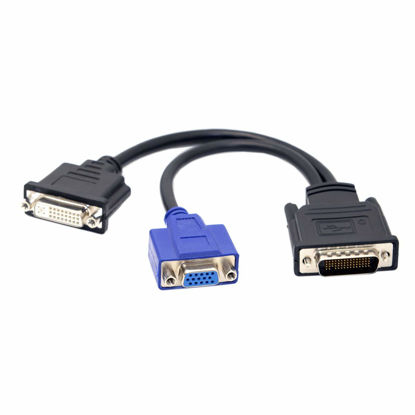
Chenyang LFH DMS-59 Male to DVI 24+5 Female & VGA RGA 15pin Female Splitter Extension 15cm
DMS-59 Male to DVI 24+5 Female & VGA RGB 15pin Female Splitter Extension 15cm | Compatible with ALL DMS-59 video cards...will allow you to connect your DMS-59 video card to 1-standard VGA connector and/or 1-DVI connector! | Will work on All DMS-59 video cards! | Splits your video card DMS59 Pin output to allow use of 1- DVI and 1 - VGA connected Monitor at the same time | Please do your own additional application research before buying, we cannot provide technical support for programmingInstructions, manuals, install disks, additional hardware, or software are not included unless specified in this listing
₹1,666.47
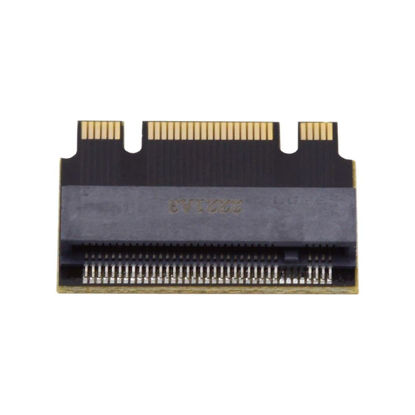
chenyang M.2 2230 to 2242 Extension Adapter,NGFF B+M Key NVME M-Key 2230 to 2242 Extension Adapter Compatible with Legion Go ThinkPad
It can't convert NVME to SATA, also can't convert SATA to NVME. | Support 2230 NVME to 2242 NVME extension, or 2230 SATA/NGFF to 2242 SATA/NGFF extension. | Extend the SSD from 2230 socket to 2242 SSD. | PCB Card only. (not include SSD) | Work for 2230 SSD of ThinkPad X270 X280 t470 t480 L480 T580 serials.
₹1,359.57
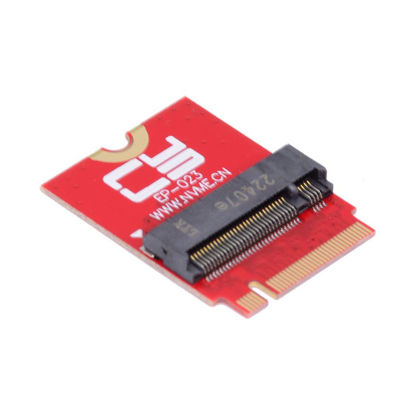
ChenYang M.2 2230 to 2280mm NVME SSD Internal Upgrade Extension Adapter for ROG Flow X13 Gamings 2021/2022/2023
Compatible with ROG 2021-2023 Flow X13 Gaming 2230 NVME to 2280 NVME extension, It can't convert NVME to SATA, also can't convert SATA to NVME. | If you have just collected your Laptop handheld games console and would like to expand its storage or have found yourself running out of space for your library of games. | We have managed to squeeze a full-fat 2280 M.2 SSD inside the new ROG Ally with our PCI-Express4.0 x4 adapter. | It’s an extremely easy process that will only take you about 20 minutes to do, and once you’re done you can enjoy up to 8TB of space. | Please put new 2280 SSD into the SSD box, Clone the system, Then replace the original 2230 SSD.
₹1,768.77
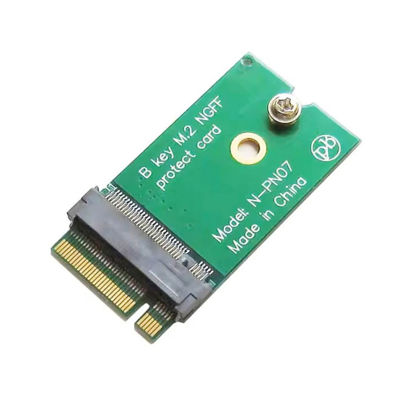
chenyang M.2 22x30mm to 22x42mm NGFF B-Key SATA SSD Upgrade Extension Protect Card Adapter for 2230 SSD LTE Card
It can't convert NVME to SATA, also can't convert SATA to NVME. Extend the SSD from 2230 socket to 2242 SSD. | Support 2230 B-key or B+M-key to 2242 extension. | Support 2230 SSD or LTE card. | Support MU736/ME936/ME906/EM7305 EM7345/EM7355/EM7430 Serial B-key LTE/4G Card. | PCB Card only. (not include SSD or LTE Card)
₹1,359.57
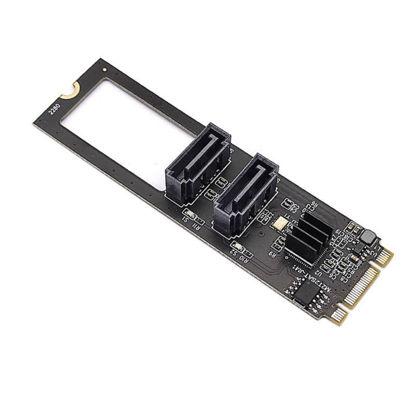
ChenYang M.2 NGFF Key B+M to SATA 3.0 6Gbps Adapter Converter Hard Drive Extension Card JMB582 2280
Main control chip: JMB582. | It has two SATA3.0 interfaces, which can be connected to an SSD solid state hard disk as a system disk, and supports transmission rates of 6.0Gbps, 3.0Gbps, 1.5Gbps. | With hot swap and hot plug capabilities, and power management functions; | Support error reporting, recovery and correction;Supports partial and sleep power management states;Support Gen1i, Gen1x, Gen2i, Gen2m, Gen2x and Gen3i; | Supports native command queue (NEQ). Under high load, NCQ technology can guarantee the performance and stability of the hard disk.
₹2,075.67
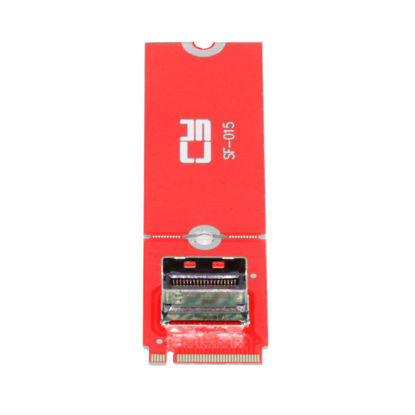
chenyang M.2 NVME NGFF M-Key to PCI-E 5.0 MCIO 4X 38Pin SFF-TA-1016 Convertor Adapter for 2230 2280 PCIe NVME SSD
The card transmits PCI Express signals using the NVMe protocol. | This convertor expands the system by one MCIO interface. It can be connected e.g. one SSD by using an optional cable. | The solution can support cable to board and card to board applications in system, which include chip to chip, chiptomodule, chip to board and card edge option. | High-performance cable for networking and server equipment: The MCIO Mini Cool Edge IO is designed to support a wide range of protocols, including SAS, PCIe, Ethernet, and more, ensuring optimal performance for your equipment. | Industry standards: Support for SAS 3.0/4.0, PCIe Gen 3/4/5, 25G Ethernet, and 56GT/s PAM4.
₹3,303.27
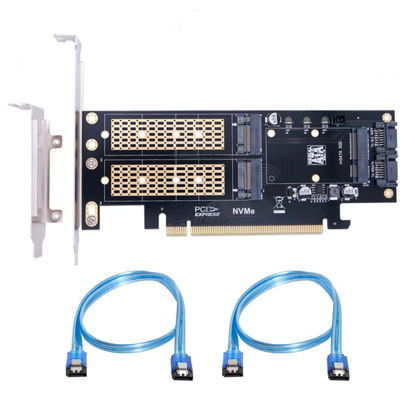
chenyang M.2 NVME to PCIe 3.0/4.0 X16 & SATA/MSATA SSD to SATA 3 in 1 Combo SSD Upgrade Expansion Card Adapter
The three SSD Can work at same time.Transfer to the operating system and does not require any software drivers. | For MSATA SSD, You need to connect the SATA cable to Motherboard SATA Port. | For NGFF B/M-key or B-Key SSD, You need to connect the SATA cable to Motherboard SATA Port. | For NGFF M-key NVME SSD, You need to connect the PCI-E to Motherboard. | System requirement:Motherboard: Z97 or later and Windows 10 or later.
₹2,075.67
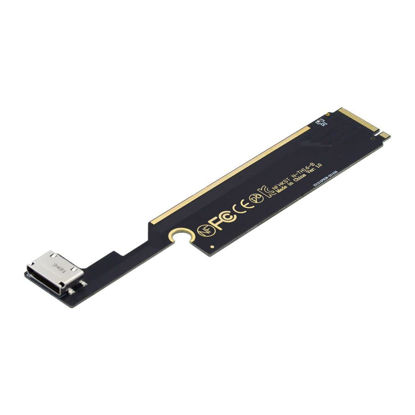
chenyang M.2 to SF-8612 Adapter,Oculink SFF-8612 to NVME PCIe M-Key Host Adapte for ThinkBook 16+ External Graphics Card & SSD
PCI-E 3.0 M.2 M-key to Oculink SFF-8612 SFF-8611 Host Adapter for ThinkBook 16+ Laptop External Graphics Card & SSD. | This convertor only work for ThinkBook 16+ Laptop, Not work for 14+ and other laptop. | The convertor expands the system by one SFF-8612 interface. | It can be connected e.g. one SSD or Graphics Card by using an optional cable+power. | The card transmits PCI Express 4x signals using the NVMe protocol.
₹2,382.57
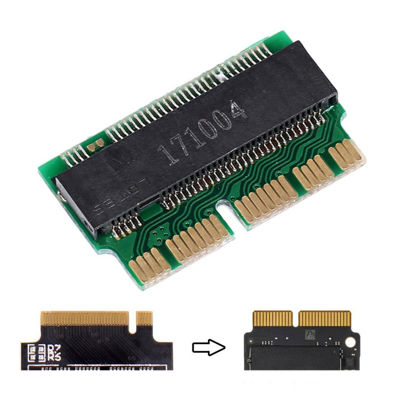
chenyang MAC SSD Upgraded Adapter M.2 NVME AHCI SSD to 12+16Pin SSD Upgraded Convert Adapter for MAC 2013 2014 2015 A1493 A1502 A1465 A1466
Specifications and features: 1.Support Following M.2 (NGFF) PCI-e SSD: 1) Samsung XP941 (MZHPU128HCGM MZHPU256HCGL MZHPU512HCGL) 2) Samsung SM951 PCIE-AHCI (MZHPV128HDGM MZHPV256HDGL MZHPV512HDGL) 3) Kingston SHPM2280P2/ 240G/ 480G 4) The other PCIE-NVME SSD | 2. can replace SSD modules from following: 1) Samsung MZ-JPU128T / 0A2, MZ-JPU256T / 0A2, MZ-JPU512T / 0A2, MZ-KPU1TOT / 0A2, MZ-JPV1280, 2) Sandisk SD6PQ4M-128G, SD6PQ4M-256G | The adapter can covert the NGFF M-key SSD to the 12+16pin 2014 2015 Macbook SSD. Note:1. The Nvme SSD only work for Mac OS HiSierra. 2.The adapter only work for M-key SSD, cannot work for B-key or B/M-key socket. | 12+16pin 2014 2015 Macbook to M.2 NGFF M-Key SSD Convert Card for A1493 A1502 A1465 A1466.Compatibility With: 2013 Macbook Pro A1493 A1502 ( MD864 MD865 MD293 Md294) SSD ; 2013 MacBook Pro retina A1398 A1502 (ME864 ME865 ME866 ME293 ME294) SSD ; 2013 Macbook Air A1465 A1466 ( MD711 MD712 MD760 MD761) SSD | 2014 Macbook Air A1465 A1466 ( MD711 MD712 MD760 MD761) SSD ; 2014 MacBook Pro retina A1502 A1398 (MGX72 MGX82 MGX92 MGXA2 MGXC2) SSD ; 2015 MacBook Pro retina A1502 A1398(MF839 MF840 MF841 MGXA2 MGXC2) SSD ; 2015 MacBook Air A1465 A1466(MJVM2 MJVP2 MJVE2 MJVG2) and Mac Pro ME253 MD878 SSD
₹1,257.27
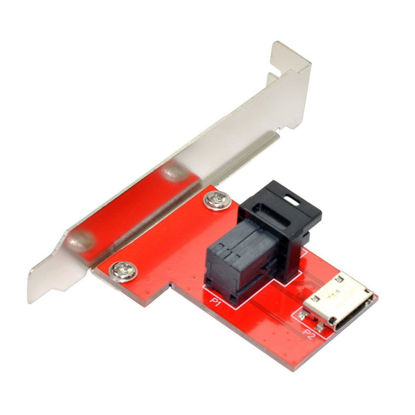
Chenyang Mini SAS HD SFF-8643 PCI-Express 4.0 to Oculink SFF-8611 SFF-8612 PCBA Female Adapter with Bracket
PCI-Express 4.0 Mini SAS HD SFF-8643 to Oculink SFF-8611 SFF-8612 PCBA Female Adapter With Bracket. | The Adapter with Full and Low Profile PCI Slot Profile Mounting Bracket. | The Adapter External will work both on the host and device side. it is reversible design. | The adapter support SAS to SAS or PCI-E to PCI-E singal. | Supports up to 12Gb/s Mini SAS or PCI-E 4.0 Data Transfer Rate.
₹3,405.57
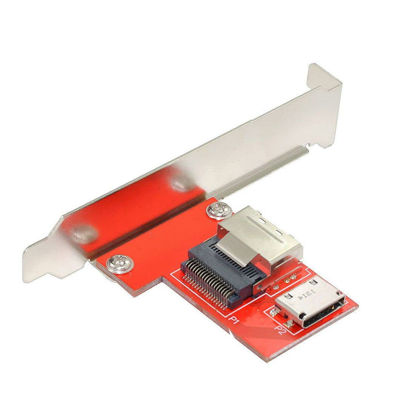
Chenyang Mini SAS SFF-8087 PCI-Express 4.0 to Oculink SFF-8611 SFF-8612 PCBA Female Adapter with Bracket
Mini SAS SFF-8087 PCI-Express 4.0 to Oculink SFF-8611 SFF-8612 PCBA Female Adapter With Bracket. | The Adapter with Full and Low Profile PCI Slot Profile Mounting Bracket. | The Adapter External will work both on the host and device side. it is reversible design. | The adapter support SAS to SAS or PCI-E to PCI-E singal. | Supports up to 12Gb/s Mini SAS or PCI-E 4.0 Data Transfer Rate.
₹3,405.57
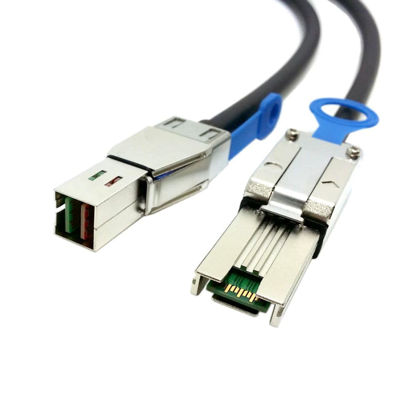
chenyang Mini SAS SFF-8088 to SFF-8644 High Density HD Data Server Raid Cable 0.5M
It is an external Mini Serial Attached SCSI HD x4 (SFF-8644) to Mini Serial Attached SCSI x4 (SFF-8088) cable. | The High Density (HD) system referenced as HD Mini-SAS (SFF-8644) in the SAS 2.1 standard, meets the 6Gb/s SAS specification. | Length: 0.5M. | There are SFF-8643 port for belowing raid card:LSI 9207-8i,Adaptec Raid 71605-72405-8885Q-8885-8805-8885E-71685-7805-71605E-78165-81605ZQ. | There are SFF-8644 port for belowing raid card:LSISAS9202-16e,Adaptec Raid 71685-8885Q-8885-8885E-78165.
₹2,382.57
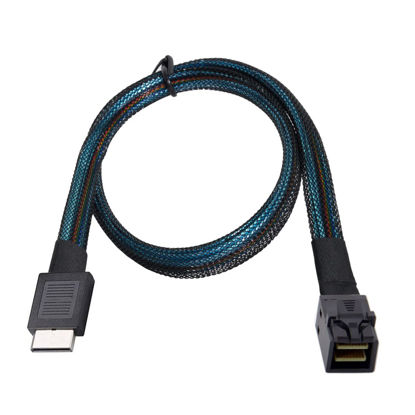
chenyang OCuLink PCIe PCI-Express SFF-8611 4i to Slimline SFF-8643 SSD Data Active Cable 50cm for SSD eGPU Card
Can connect internal devices,Can't work for SFF-8643 slimline SAS raid card. | e.g. a backplane with SFF-8643 connector to a controller with OCuLink SFF-8611 connector. | Data transfer rate up to 8 Gbps ; System requirements:A free OCuLink interface | OCuLink PCIe PCI-Express SFF-8611 4i male to OCuLink SFF-8643 male SSD Data Active Cable 50cm | Lock to Mating Part: With Active Latch ; Length: 50cm
₹2,382.57
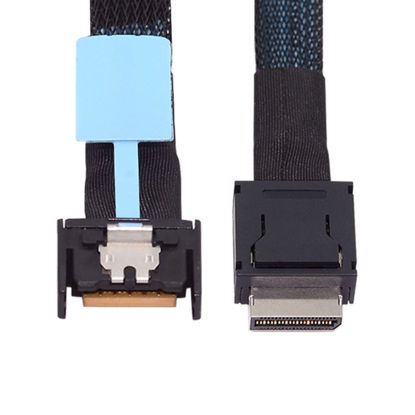
chenyang Oculink SFF-8611 4i to PCI-E 5.0 Mini Cool Edge IO MCIO 4X 38Pin SFF-TA-1016 Extender Cable 0.5M
Mini Cool Edge IO (MCIO) cable assemblies,These products can provide high performing channels with the added flexibility of where/how to use signals in your system. | What is mini cool edge Io (MCIO): MCIO cables are designed for data center, networking and telecommunications markets that use SAS, PCIe, Ethernet and othersignal protocols. | The solution can support cable to board and card to board applications in system, which include chip to chip, chiptomodule, chip to board and card edge option. | High-performance cable for networking and server equipment: The MCIO Mini Cool Edge IO is designed to support a wide range of protocols, including SAS, PCIe, Ethernet, and more, ensuring optimal performance for your equipment. | Industry standards: Support for SAS 3.0/4.0, PCIe Gen 3/4/5, 25G Ethernet, and 56GT/s PAM4 means that you can trust that your equipment will perform at optimal levels without any signal loss or degradation.
₹3,405.57
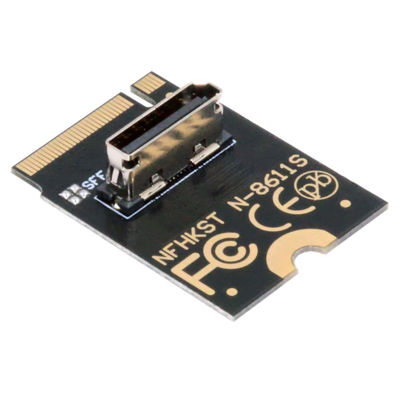
chenyang Oculink SFF-8612 SFF-8611 to PCI-E 4.0 NVME M.2 M-Key Vertical Host Adapter for U.2 SSD & eGPU
The card transmits PCI Express 4.0 signals using the NVMe protocol. | This convertor expands the 2230 M-Key system by one SFF-8612 oculink interface. | It can be connected e.g. one SSD or eGPU Graphics Card by using an optional cable. | Data transfer rate up to 64Gbps, Supports NVM Express (NVMe) 1.2. | The angled type vertical connector Allowing you to connect it to a female port, even if space around the port is limited.
₹2,382.57
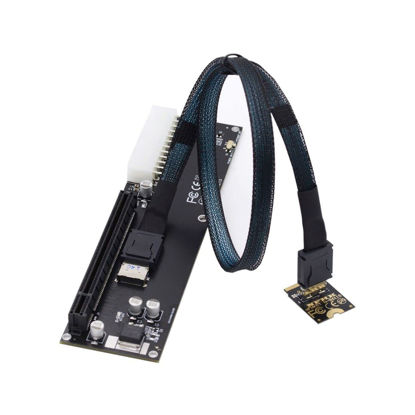
Chenyang Oculink SFF-8612 to PCI-E 3.0/4.0 M.2 M-Key to SFF-8611 Host Adapter for eGPU/GPD Win Max2 External Graphics Card & SSD
1) When your device has an Oculink SFF-8612 interface, you can use this adapter to connect an eGPU and add an external graphics card and SSD to your computer device. | 2) It offers higher bandwidth, lower cost, and better performance for external graphics cards & SSD. | 3) The card transmits PCI Express 4x signals using the NVMe protocol. | 4) Data transfer rate up to 32 Gbps,Supports NVM Express (NVMe) 1.2 | 5) Package includes: one OCuLink to NVME (M.2 M-Key) adapter, one Oculink cable, one OCuLink to PCI-E X16 adapter. | 6) System requirements:Linux Kernel 4.3 or above,Windows 8.1/8.1-64/10/10-64.
₹5,451.57
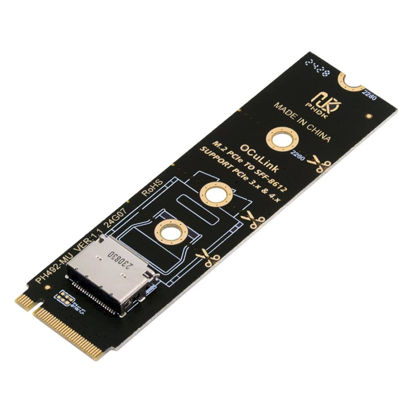
chenyang Oculink SFF-8612 to PCI-E 4.0 NVME M.2 M-Key Host Adapter Support 2230/2242/2260/2280 for U.2 SSD & eGPU
1) This product requires your computer to support PCLE X4 NVMe M.2 NGFF SSD interface to use it! | 2) PCIE X2 and SATA protocol M.2 interface cannot be used! | 3) The card transmits PCI Express 4.0 signals using the NVMe protocol. | 4) Data transfer rate up to 64Gbps, Supports NVM Express (NVMe) 1.2. | 5) It can be connected e.g. one SSD or eGPU Graphics Card by using an optional cable.
₹2,280.27
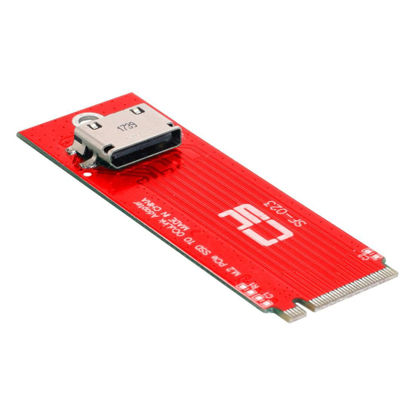
Chenyang PCI-E 3.0 M.2 M-Key Host to Oculink SFF-8612 SFF-8611 Adapter 2260mm 2280mm for PCIe Nvme SSD
This convertor expands the system by one SFF-8612 interface. It can be connected e.g. one SSD by using an optional cable. | PCI-E 3.0 M.2 M-key to Oculink SFF-8612 SFF-8611 Host Adapter for PCIe Nvme SSD | The card transmits PCI Express signals using the NVMe protocol. | 1 x OCuLink SFF-8612 female and 1 x 67 pin M.2 Key M male | Data transfer rate up to 32 Gbps
₹2,678.22
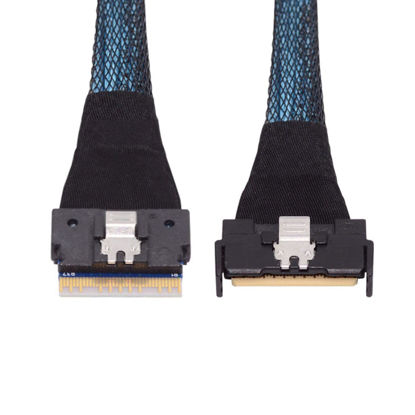
chenyang PCI-E 5.0 Mini Cool Edge IO MCIO 74Pin to SFF-8654 8i 74Pin Slimline SAS 4.0 24 Gbps Extension Cable 50cm
High-speed data transfer: This cable is designed for use with ssd that use MICO to SFF-8654 connectors, allowing for fast and reliable data transfer at speeds of up to 24 Gbps. | Easy to use: Simply plug in the SFF-8654 74 Pin end of the cable into your device and the MCIO end into your external hard drive, and you're ready to go. | Mini Cool Edge IO (MCIO) cable assemblies,These products can provide high performing channels with the added flexibility of where/how to use signals in your system. | High-performance cable for networking and server equipment: The MCIO Mini Cool Edge IO is designed to support a wide range of protocols, including SAS, PCIe, Ethernet, and more, ensuring optimal performance for your equipment. | Industry standards: Support for SAS 3.0/4.0, PCIe Gen 3/4/5, 25G Ethernet, and 56GT/s PAM4 means that you can trust that your equipment will perform at optimal levels without any signal loss or degradation.
₹4,747.75
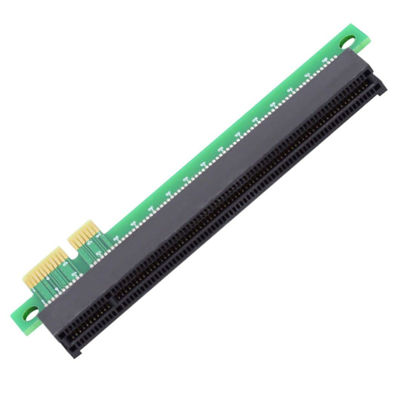
chenyang PCI-E Express x1 to x16 Riser Card Extender Converter Adapter Male to Female Extension for Graphics Card
PCI-E Express 1x to 16x Extender Converter Riser Card Adapter Male to Female Extension. | Can work for Graphics Card, Not for PCI-E 16X disk raid card. | layer PCB bard designing. | Support PCIe 1X card and 1X,4X,8X,16X card( only provide 1X speed). Don't support PCI port. | No Driver necessary and not support hot swap.
₹1,154.97
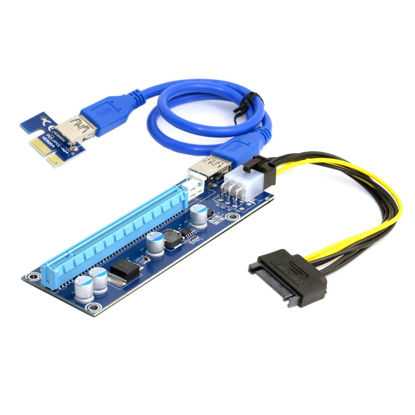
Chenyang PCI-Express X1 to X16 GPU Riser Card Adapter with USB 3.0 & SATA Power Cable
Package Included:1x PCI-E X16 Adapter,1x PCI-E X1 Riser board,1x USB 3.0 Cable length:60cm,1x SATA 15Pin-6Pin Power Cable. | With 4 x FP solid capacitors, making graphics power supply more stable and secure. | With SATA 15Pin Male to 6Pin power cable,strengthen power supply. | So that graphics power from the motherboard independent,so multi-card reduce motherboard burden. | Compatible with X1,X4,X8,X16 card.
₹1,359.57
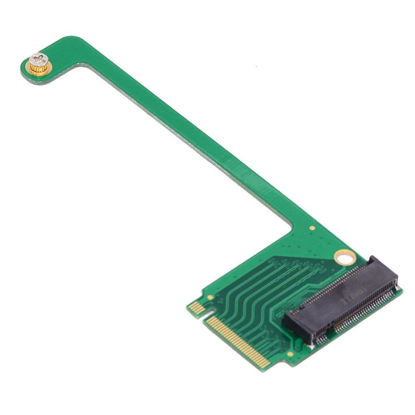
chenyang ROG Ally Gaming Internal M.2 NVME M-Key 2230 to 2280mm SSD Upgrade Extension Adapter
Compatible with ROG Ally Gaming 2230 NVME to 2280 NVME extension, It can't convert NVME to SATA, also can't convert SATA to NVME. | If you have just collected your Ally handheld games console and would like to expand its storage or have found yourself running out of space for your library of games. | We have managed to squeeze a full-fat 2280 M.2 SSD inside the new ROG Ally with our PCI-Express 4.0 x4 adapter. | It’s an extremely easy process that will only take you about 20 minutes to do, and once you’re done you can enjoy up to 8TB of space. | Please put new 2280 SSD into the SSD box, Clone the system, Then replace the original 2230 SSD.
₹1,768.77
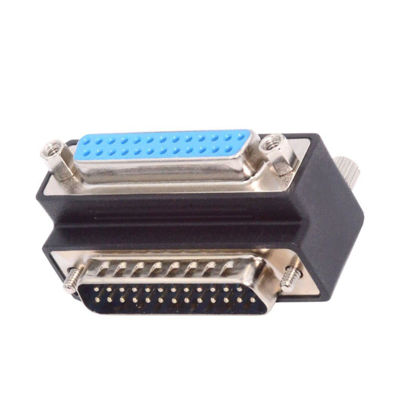
chenyang RS232 DB25Pin Serial Port 90 Degree Down Angled Connector Parallel LPT AES/EBU Adapter
The angled type Allowing you to connect it to a female port, even if space around the port is limited. | The 25Pin male with nuts and the Female with Screws. 25 pin density plug to socket adaptor. Two rows contacts 90 Degree Angled Adapter. | D-Sub ports are used for connecting external devices to a computer. They are an older method of connection, but some Parallel LPT Card and modern computers still contain them. D-sub connectors are basic yet popular input-output connectors used in various applications in Telecommunications, Data, Consumer, Industrial, Military, Instrumentation and Medical arenas. | Commonly called inchDB connectorsinch or inchD-subs,inch these compact connectors take their name from their characteristic D-shaped shield, which protects both sides of the connector from mechanical and electromagnetic interference. The shield asymmetric shape also ensures that it only attaches to its corresponding connector in the correct orientation. | The 25 pin d-sub connector, or DB25, is most commonly known for its use in digital audio and multi-channel applications for recording devices. However, the varying use for both female and male DB25 connector products has expanded to include more rigorous applications where a secure, sometimes waterproof connection and transfer of signal is required amidst high vibration and harsh environments.
₹1,666.47
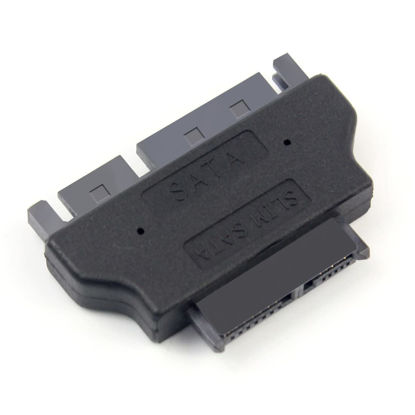
chenyang SATA 22Pin Male to Slimline SATA 13Pin Female Convertor Adapter
SATA 22Pin to slimline SATA 13Pin convertor adapter | Connector 1: SATA 22Pin 7+15 Female | Connector 2: Micro SATA 13Pin (7+6) Male | This Adapter enables you to connect your CD / DVD drive with standard SATA 22 pin interface to 13 pin Slim SATA.
₹951.39
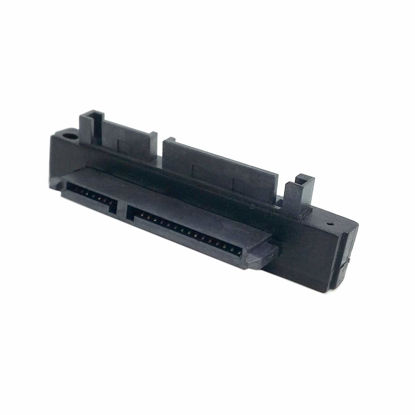
chenyang SATA Male to SATA Female 90 Degree Down Angled Gender Changer Connector Adapter for 2.5/3.5" Hard Disk Drive
The connector only changes the connection direction of the 2.5/3.5" SATA Hard Disk Drive, without changing the transmission speed and interface definition. | It can work for 2.5/3.5" SATA Hard Disk Drive. | The connector transfer 5V/12V Power and 6Gbps Data. | The angled type Allowing you to connect it to a female port, even if space around the port is limited. | Their work allows for better cable management and more aesthetically pleasing wiring.
₹1,052.67
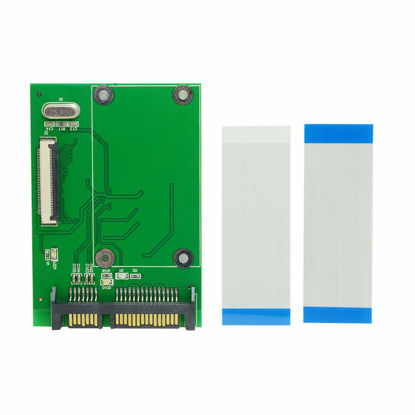
chenyang SATA to 40 Pin ZIF CE 1.8 Inch SSD HDD Adapter Board with LIF Flat Cable
40 Pin ZIF CE 1.8 Inch SSD/HDD to SATA Adapter Board with 40Pin LIF Flat Cable | with Two 40Pin LIF CE Flat Cables, Blue to blue end is for Hatachi, Bule to White is for Samsung/toshiba. | This SATA to ZIF/CE adapter is designed to enable ZIF/CE SSD to be used as a direct replacement for a SATA hard drive. | Package contents: | ZIF/LIF/IDE to SATA adapter x1; ZIF cable x1; LIF cable x1;
₹1,359.57
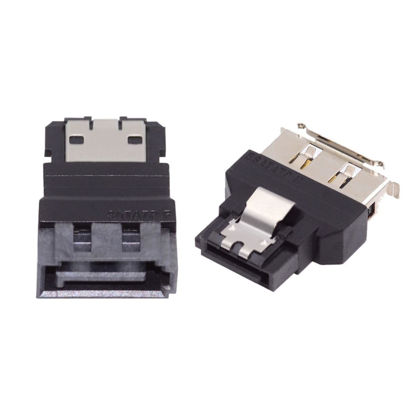
chenyang SATA to eSATA & eSATA to SATA Converter Extender Adapter for SSD Disk 2Pcs/Set
External Serial ATA (ESATA) is a subset of the additional specifications for the Serial ATA (SATA) interface standard. | ESATA to SATA one end is ESATA external connector and the other end is SATA connector, which can be connected to ESATA and SATA cables used and for extension. | The eSATA connectors are keyed differently to prevent the use of internal SATA cables in external applications. | External SATA (eSATA) adapter are designed to connect external SATA devices to either external SATA ports or internal SATA connectors. | The package included one SATA-ESATA and one ESATA-SATA adapter.
₹1,257.27
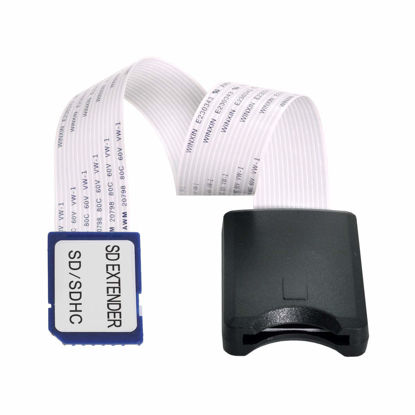
chenyang SD to SD Card Extension Cable Adapter SD/SDHC/MMC/RS-MMC Male to Female Soft Flat FPC Extension Cable Adapter
Normal operating steps: Insert the SD card into the black shell end of the extension cable, then connect the other end of the extension cable to the card reader and then insert it into the USB interface of the navigation or computer. | Note: This product does not support hot swapping! When replacing another SD/SDHC card without removing the other end of the extension cable from the device, the device needs to be restarted. | Supports all products that require memory cards SD/SDHC/MMC/RS-MMC. | For example: computer card readers, car GPS navigators, car DVDs, DVRs, LED/LCD display signs, large machinery and equipment, etc. | Soft Flat FPC Cable,Length: 25cm Approx.
₹1,257.27
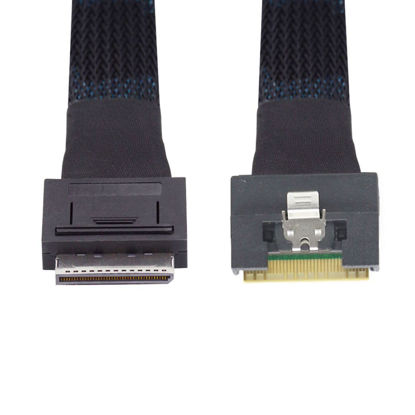
chenyang SFF-8611 8i to SFF-8654 8i 8X Oculink PCIe PCI-Express Slimline SSD Data Active Cable 50cm
Data transfer rate up to 16Gbps,Cable length: 50cm. | This OCuLink 8x cable can be used to connect internal devices, e.g. a backplane with SFF-8654 connector to a controller with OCuLink SFF-8611 connector. | Also can work for a backplane with SFF-8611 socket to a controller with SFF-8654 socket. | OCuLink SFF-8611 male to SFF-8654 male,Lock to Mating Part: With Active Latch. | System requirements: A free SFF-8654 OCuLink 8x 80Pin interface.
₹5,349.27
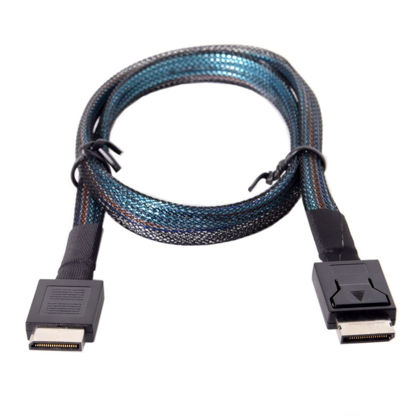
chenyang SFF-8611 Cable OCuLink PCIe PCI-Express 4.0 SFF-8611 4i Male to SFF-8611 Male Data Extension Cable 50cm for eGPU GPD Win Max2 External Graphics Card & SSD
1)This OCuLink cable can be used to connect internal devices, e.g. a backplane with OCuLink SFF-8611 connector to a controller with OCuLink SFF-8611 connector. | 2)Data transfer rate up to 64Gbps, Transmits PCI Express 4.0 signals using the oculink protocol. | 3)OCuLink is a peripheral connection standard that allows you to connect PCIe devices using an external cable. | 4)It offers higher bandwidth, lower cost, and better performance for external graphics cards & SSD. | 5)Cable length: 50cm.
₹2,382.57
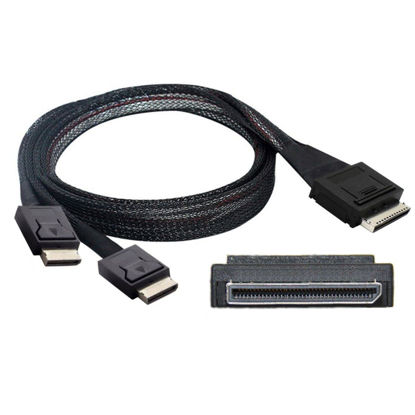
Chenyang SFF-8611 to SFF-8611 Cable,OCuLink PCIe PCI-Express SFF-8611 8X 8-Lane 1 Male to 2 Male SSD Data Active Cable 50cm
This OCuLink 8x cable can be used to connect internal devices, e.g. a backplane with OCuLink SFF-8611 connector to a controller with OCuLink SFF-8611 8x connector. | OCuLink SFF-8611 8x 80pin 1 male to 2 OCuLink SFF-8611 8x 80pin male. | Lock to Mating Part: With Active Latch. | Data transfer rate up to 16Gbps. | System requirements: A free OCuLink 8x 80pin interface.
₹5,451.57
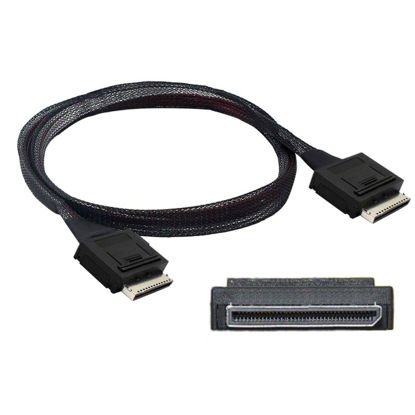
Chenyang SFF-8611 to SFF-8611 Cable,OCuLink PCIe PCI-Express SFF-8611 8X 8-Lane Male to Male SSD Data Active Cable 50cm
This OCuLink 8x cable can be used to connect internal devices, e.g. a backplane with OCuLink SFF-8611 connector to a controller with OCuLink SFF-8611 8x connector. | OCuLink SFF-8611 8x 80pin male to OCuLink SFF-8611 8x 80pin male. | Lock to Mating Part: With Active Latch. | Data transfer rate up to 16Gbps. | System requirements: A free OCuLink 8x 80pin interface.
₹5,451.57
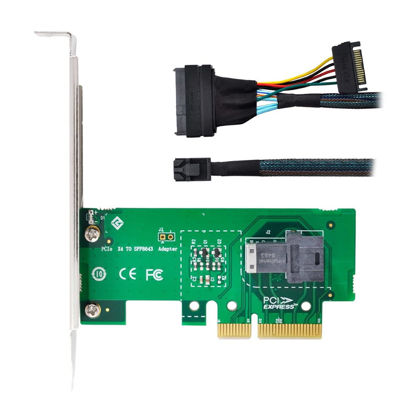
chenyang SFF-8643 to PCI-E 4X Adapter with SFF-8639 Cable for Mainboard U.2 SFF-8639 Kit
The package included one card and one 50cm cable. | For Mainboard and U.2 SSD 750 PCI-E SFF-8643 interface. | Not work for SAS or SATA disk. | Hyper Kit Storage controller,Ultra PCI-E Card. | Support 4x PCIe 3.0 and PCIe 4.0.Support Windows 10 or Later.
₹4,019.37
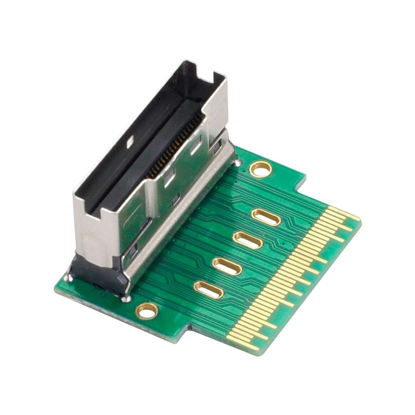
Chenyang SFF-8654 PCI-E Slimline SAS 8i 74Pin Male to SFF-8654 SAS 4.0 74Pin Female SFF-8654 Extender Adapter Test Tools
This adapter can be used to connect internal devices, e.g. a backplane with Slim Line SAS connector to a controller with Slim SAS SFF-8654 8i connector. | Applications for Servers,Data Storage,Workstation,Meet PCIe Gen3 and SAS4.0 specification. | Provide four channels signal transmission as per industry standard. | Data speed: 24Gbps for SAS and 8GT/s for PCIe per channel. | Meet SAS4.0, Ultraport SlimSAS SFF-8654 specification
₹1,666.47
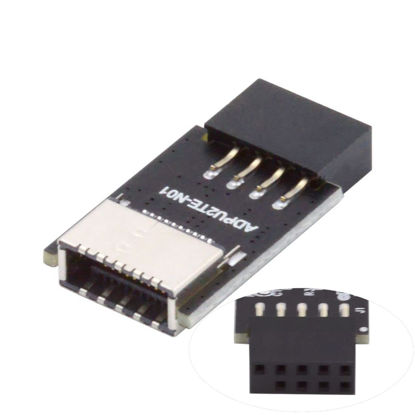
chenyang USB 2.0 9Pin Male to USB 3.1 Type E Key-A Female Front Panel Socket to 9Pin Mainboard Header Extension Adapter
The adapter is a converter to convert the available USB 2.0 header of a motherboard into a USB 3.1 header. | The compact adapter can be inserted directly and requires no additional attachments. | Converter plug-in for the mainboard,Fits into any USB 2.0 header. | Bundling in USB2.0 with up to 480MBit/s. | Convenient accessory for case with USB 3.1 connector.
₹1,257.27
About us

Shop From Catalogue Of USA Bestsellers
Many times, we want to purchase products from USA simply because they are not available in India or the cost might be high. Generally, we think that the process of delivering the products from USA to India would be very expensive and complicated. But, now, you won't be disappointed, GetUSCart is here for you. Here, you can shop from catalogue of USA bestsellers.
Fast Shipping From USA To India - 7 To 10 Working Days
Are you in thought of shipping USA products to India will take much time? If your answer is yes, it’s absolutely not correct. GetUSCart is behind you to provide fast shipping from USA to India - 7 to 10 working days. GetUSCart is behind you to provide fast shipping from USA to India - 7 to 10 working days. Shop with GetUSCart and get shipped all your favorite products quickly from USA to India.


Low Shipping Cost From USA To India
You don't think about the shipping cost when you are buying USA products at GetUSCart. Literally, you will surprise when you see the shipping price on your ordered products. You can save more money with our low shipping cost from USA to India. Get all our products including beauty & personal care products, office products, toys, electronics and many others with less shipping charges.
No Hassles Of Custom Clearance In India
When items ship from USA to India, they have to go through customs before they will be released for final delivery. So, GetUSCart is responsible for all this custom clearance procedure for our products. We will pay custom duties, fees, taxes and etc. GetUSCart delivers your product without any issues regarding custom clearance.


Get Delivered Your Favourite Product From USA To Doorsteps In India
If you like the United States products, shop at GetUSCart whatever you need. And, get it delivered from USA to your own home in India with no stress. Simply place an order of your favorite products through our GetUSCart website or app. We will ship and deliver them from USA to India.
Don't Find A Product In Our Catalogue. Request A Product Now!
Find products whatever you want in our catalogue. We have various categories of products such as Electronics, Clothing, Shoes & Jewelry, Arts, Crafts & Sewing, Office Products, Toys & Games, Baby Products, Devices & Accessories, Kitchen & Dining, Cameras, Patio, Lawn & Garden, Musical Instruments, Beauty & Personal Care, etc. If you didn’t find your favorite product, you can request us by entering that product details.

K M Enterprises
Suite 311, AKM Dharma Rao Signature
Madinaguda, Hyderabad - 500049
email: [email protected]
All major credit, debit cards, net banking, wallets accepted securely
