







Cookies help us deliver our services. By using our services, you agree to our use of cookies.



kdraco
kdraco
Displayper page
Sort by
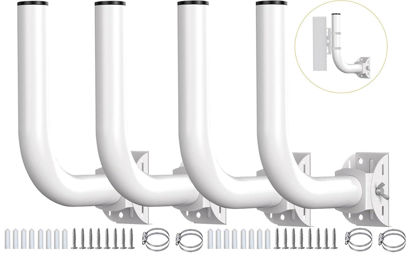
Point to Point Wireless Bridge Pole Mount Bracket,Outdoor Access Point Mounting Pole,Adjustable Pole and Wall-Mounted Mount for Outdoor Access Antenna Tp-Link and starlink 4-Pack
【Designed for 𝘄𝗮𝗹𝗹𝘀 or 𝗽𝗼𝗹𝗲𝘀】:There are two installation methods for this bracket, which can be installed ona pole or wall-mounted. You can choose the location you want to install according to your needs. | 【𝗨𝗻𝗶𝘃𝗲𝗿𝘀𝗮𝗹 Pole Mount】:This pole mount bracket is designed to be compatible with various wireless bridge devices ,access point,antennas and more 。It is very 𝘀𝘁𝘂𝗿𝗱𝘆 and 𝘄𝗮𝘁𝗲𝗿𝗽𝗿𝗼𝗼𝗳, specifically designed for outdoor use without fear of being knocked down by inclement weather. | 【𝗗𝘂𝗿𝗮𝗯𝗶𝗹𝗶𝘁𝘆】Constructed with high-quality materials, it offers a sturdy and reliable support system for your wireless bridge. Once mounted, the bracket provides stability and prevents unwanted movement or vibrations, ensuring consistent performance of your wireless network. | 【150 degree adjustment】: The mounting pole can be rotated 𝟭𝟱𝟬 degrees, perfect for the flat, angle, or vertical positions.After you install the CPE, adjust the angle of the rod to receive signals of different strengths. | 【𝗘𝗳𝗳𝗼𝗿𝘁𝗹𝗲𝘀𝘀 𝗜𝗻𝘀𝘁𝗮𝗹𝗹𝗮𝘁𝗶𝗼𝗻】The bracket mount comes with clear instructions and all the necessary hardware, making the mounting process quick and hassle-free. Whether you're a tech-savvy individual or a beginner, you'll find it easy to attach your wireless bridge device securely to this bracket mount.
₹5,777.91
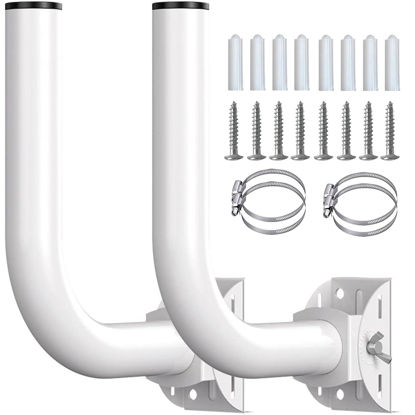
Pole Mount Bracket for Wireless Bridge Point to Point ,Tp Link Mounting Bracket Outdoor Access Point Mounting Pole and Universal Antenna Wall Mount Bracket (2 Pack)
【2 Installation Types】 This wireless bridge bracket mount can be installed on a pole or wall-mounted, both installation methods are very simple, you can choose according to your needs. | 【High Quality】 This J pole will not bend, break,snap or crack unless undue force applied. With proper installation, can withstand strong winds and rain. | 【150 degree adjustment】The rod of wireless bridge bracket mount can be adjusted up and down by 150°. After you install the CPE, adjust the angle of the rod to receive signals of different strengths. | 【Firmness】 This wireless bridge pole mount is designed with non-slip gears. After you adjust the angle of the rod, you only need to twist it lightly, and the rod will be firmly fixed. And this pole mount is equipped with two hoops to firmly fix your mount on the rod. | 【Weatherproof】The surface of this J pole mount is painted, and the top is equipped with a waterproof cap, which can be installed outside, providing long-lasting mounting performance. It can withstand strong winds and rain.
₹3,465.93
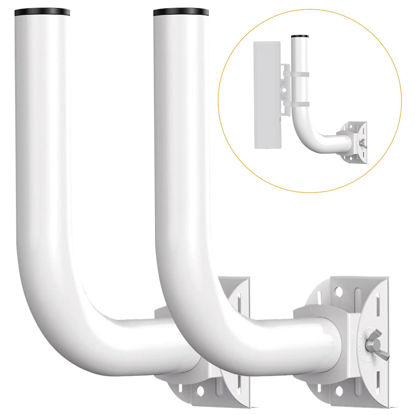
Universal Point to Point Wireless Bridge Pole Mount Bracket,J Pole Mount for Antenna and Outdoor Access Point,Pole and Wall-Mounted Mount for Outdoor Access Antenna Tp-Link and starlink,2-Pack
【𝗨𝗻𝗶𝘃𝗲𝗿𝘀𝗮𝗹 Pole Mount】:This J pole mount bracket is designed to be compatible with various wireless bridge devices ,access point,antennas and more 。It is very 𝘀𝘁𝘂𝗿𝗱𝘆 and 𝘄𝗮𝘁𝗲𝗿𝗽𝗿𝗼𝗼𝗳, specifically designed for outdoor use without fear of being knocked down by inclement weather. | 【Designed for 𝘄𝗮𝗹𝗹𝘀 or 𝗽𝗼𝗹𝗲𝘀】:There are two installation methods for this bracket, which can be installed ona pole or wall-mounted. You can choose the location you want to install according to your needs. | 【𝗗𝘂𝗿𝗮𝗯𝗶𝗹𝗶𝘁𝘆】Constructed with high-quality materials, it offers a sturdy and reliable support system for your wireless bridge. Once mounted, the bracket provides stability and prevents unwanted movement or vibrations, ensuring consistent performance of your wireless network. | 【𝗔𝗱𝗷𝘂𝘀𝘁𝗮𝗯𝗹𝗲 𝗮𝗻𝗴𝗹𝗲𝘀 𝗱𝗲𝘀𝗶𝗴𝗻】: The mounting pole can be rotated 𝟭𝟱𝟬 degrees, perfect for the flat, angle, or vertical positions.After you install the CPE, adjust the angle of the rod to receive signals of different strengths. | 【𝗘𝗳𝗳𝗼𝗿𝘁𝗹𝗲𝘀𝘀 𝗜𝗻𝘀𝘁𝗮𝗹𝗹𝗮𝘁𝗶𝗼𝗻】The bracket mount comes with clear instructions and all the necessary hardware, making the mounting process quick and hassle-free. Whether you're a tech-savvy individual or a beginner, you'll find it easy to attach your wireless bridge device securely to this bracket mount.
₹3,465.93
About us

Shop From Catalogue Of USA Bestsellers
Many times, we want to purchase products from USA simply because they are not available in India or the cost might be high. Generally, we think that the process of delivering the products from USA to India would be very expensive and complicated. But, now, you won't be disappointed, GetUSCart is here for you. Here, you can shop from catalogue of USA bestsellers.
Fast Shipping From USA To India - 7 To 10 Working Days
Are you in thought of shipping USA products to India will take much time? If your answer is yes, it’s absolutely not correct. GetUSCart is behind you to provide fast shipping from USA to India - 7 to 10 working days. GetUSCart is behind you to provide fast shipping from USA to India - 7 to 10 working days. Shop with GetUSCart and get shipped all your favorite products quickly from USA to India.


Low Shipping Cost From USA To India
You don't think about the shipping cost when you are buying USA products at GetUSCart. Literally, you will surprise when you see the shipping price on your ordered products. You can save more money with our low shipping cost from USA to India. Get all our products including beauty & personal care products, office products, toys, electronics and many others with less shipping charges.
No Hassles Of Custom Clearance In India
When items ship from USA to India, they have to go through customs before they will be released for final delivery. So, GetUSCart is responsible for all this custom clearance procedure for our products. We will pay custom duties, fees, taxes and etc. GetUSCart delivers your product without any issues regarding custom clearance.


Get Delivered Your Favourite Product From USA To Doorsteps In India
If you like the United States products, shop at GetUSCart whatever you need. And, get it delivered from USA to your own home in India with no stress. Simply place an order of your favorite products through our GetUSCart website or app. We will ship and deliver them from USA to India.
Don't Find A Product In Our Catalogue. Request A Product Now!
Find products whatever you want in our catalogue. We have various categories of products such as Electronics, Clothing, Shoes & Jewelry, Arts, Crafts & Sewing, Office Products, Toys & Games, Baby Products, Devices & Accessories, Kitchen & Dining, Cameras, Patio, Lawn & Garden, Musical Instruments, Beauty & Personal Care, etc. If you didn’t find your favorite product, you can request us by entering that product details.

K M Enterprises
Suite 311, AKM Dharma Rao Signature
Madinaguda, Hyderabad - 500049
email: [email protected]
All major credit, debit cards, net banking, wallets accepted securely
