







Cookies help us deliver our services. By using our services, you agree to our use of cookies.



XENCELABS
XENCELABS
Displayper page
Sort by
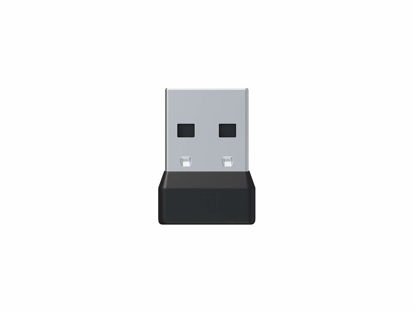
XENCELABS Replacement Dongle Compatible with Xencelabs Pen Tablet and Xencelabs Quick Keys™
Used to enable wireless functionality. Replacement for lost or broken dongle. | Works only with Xencelabs Pen Tablet and Xencelabs Quick Keys. One dongle can pair with both devices at the same time. Easy to pair by using pairing mode set in the driver. | If you bought a tablet and Quick Key separately you can pair both of them to a single dongle. If you lost your dongle and purchased a new one, you can repair your device to the new dongle. | Open the Settings application and click on the gear menu icon on the top right of the window. Select the option to "Pair Device to USB Receiver." You can find the more details of pair way in the product detail pages.
₹2,075.67
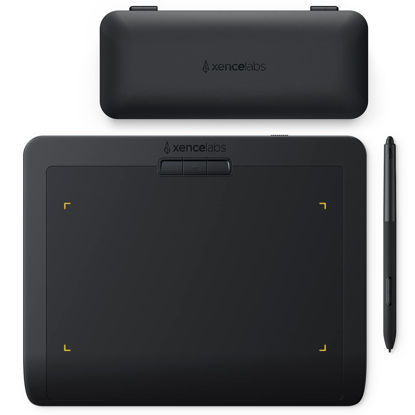
XENCELABS Drawing Tablet Small, Portable Wireless Graphic Tablets, Ultrathin Pen Tablet with 2 Battery-Free Stylus, 8192 Levels Pressure, 16:9 Aspect Ratio Digital Art Pad for Win/Mac/Linux
【Professional Drawing tablet】Xencelabs professional drawing tablet was co-designed with the input of industry leading creatives. The active area (6.93 X 3.89 inches) has true 16:9 aspect ratio to match industry standard displays. Drawing tablets are widely used in various industries including: Education, Graphic Design, Game Design & Simulation, 2D Animation, 3D Animation, Industrial Design and more. | 【Pen Tablet System Requirements】Windows7 or later, Mac OS X 10.12 or later, Linux , wireless or cable connection requires USB Type-A port (includes Type-C adapter), internet access to download driver. | 【Two Advanced Digital Pens with Pen Case and Accessories】Draw thicker or thinner lines depending on how hard you push the pen to the tablet. Digital pens features two different diameters and numbers of buttons, 8192 levels of pressure sensitivity, 5080LPI pen resolution and virtually no lag, providing you ultimate precision and control to make lines smoother and more natural, allowing you to capture ideas faster and easier. | 【Easy installation】XENCELABS Pen Tablet is a perfect combination of input device and driver which work together to create an intuitive and natural drawing experience. Convenient and easy to use, effortlessly syncing to your Operating System. Drawing tablet supports: GIMP, Krita, Inkscape, Adobe Photoshop, Illustrator, ArtRage, Sketchbook, Substance Painter, and more. | 【Portable & Compact】At only 8mm, Xencelabs drawing tablet is thinner than many other tablets. The minimalist design features three nested buttons centrally located at the top of the tablet for easy access and less clutter. Elegent, well appointed Pen and Accessory case. Everything where you need it. Only needs 2.5 hours for charging, enough for 16 hours of full-time drawing.
₹11,374.74
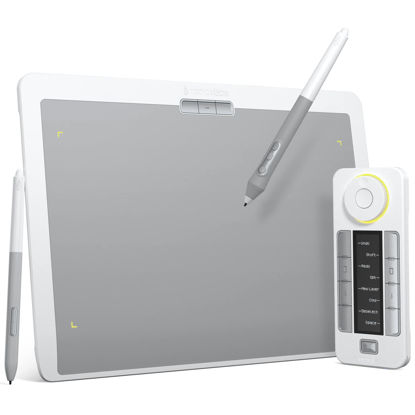
XENCELABS DrawingTablet Medium, Graphic Tablets with 40 Customizable Quick Keys, 12" Ultrathin Pen Tablet with 2 Battery-Free Stylus, 8192 Levels Pressure for Win/Win 11 ARM/Mac/Linux, Nebula White
A New Colorway for a Lighter Aesthetic: Xencelabs Pen Tablet Medium Bundle SE comes in Nebula White to appeal to creatives with a lighter workspace aesthetic. The exquisite appearance of the Pen Tablet aims to provide you with a much better creating experience. Now artists have a choice of what color graphics tablet they integrate into their personal workflow. | Special Surface Design: This texture gives our included pens a surface that feels reminiscent of a pen to paper. The touch surface of our drawing tablet is made of special materials to offer an ultra-fine frosted textured surface with non-slip and wear-resistant. Exquisite craftsmanship and 6.5° gentle slope for wrist protection to draw easily and unleash your inspiration. | Customizable Quick Keys: Working in unison with the Drawing tablet. The shortcut keys give you 5 sets of 8 keys - a total of 40 programmable functions per application. An OLED display to show you each key assignment at a glance and 30 hours of sustainable working when fully charged can make any workflow much more easier. | Two Advanced Digital Pens with Pen Case: 8192 levels of pressure sensitivity, 5080LPI pen resolution and virtually no lag to provide the most ultimate precision and control performance and realistic pen-to-paper feel. The digital pen features two different diameters and number of buttons to adapt to different drawing methods and effects. | Multiple Compatibility: Our driver is compatible with Linux, Windows, and Mac OS and software programs such as but not limited to: Adobe Suite, Adobe Substance Painter, Corel, Autodesk (Maya, Max & Fusion 360), Pixelogic, Toon Boom, Foundry (Nuke, Modo). You can quickly access the settings at the top of the graphic tablet.
₹35,344.65
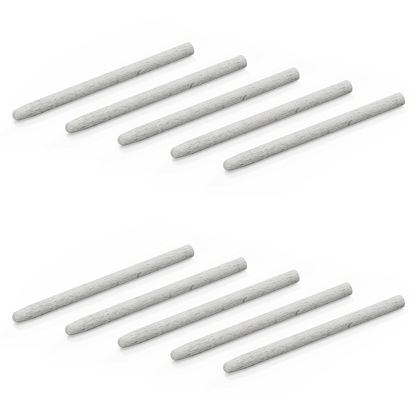
Xencelabs Felt v2 Nibs for Pen Display 24
Felt nibs designed for use with Xencelabs 3 Button pen v2 and Thin pen v2. | Worn down nibs are easily replaced using the nib extractor provided in your pen case.
₹1,666.47
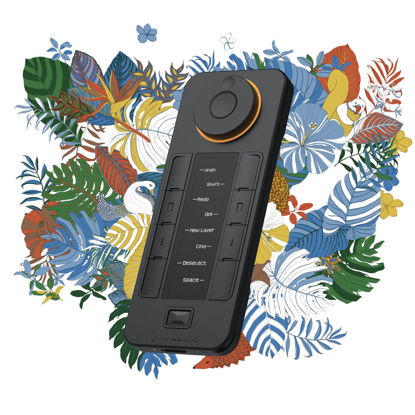
XENCELABS Quick Keys for Pen Tablet, Pen Displays, 40 Customizable Shortcut Keys, OLED Display, Used Wired or Wirelessly for macOS, Windows, Win-ARM and Linux
XENCELABS Quick Keys: The Xencelabs Quick Keys enables artists to incorporate shortcut keys into their regular workflow through an easy-to-use interface. You can use the Quick Keys wired or wirelessly to a computer. A USB cable and a wireless dongle are included with your Quick Keys. Quick Keys is operational while being charged. | Compatibility: Compatible with current, or near current, macOS, Windows, or Linux operating systems. You will need to download and install the Xencelabs Driver to your computer. Includes Kensington NANO Security Slot. | Not Compatible and Not Supported: Raspberry PI (all versions), Android operating systems, iOS (Apple iPad, iPhone) operating systems, Stream Deck, Sony PlayStation, Windows Xbox. | Customizable Shortcuts: A dial with four settings that will allow you to perform actions (like zoom in or zoom out) with accuracy. Left-handed or right-handed, wireless or wired, with 5 sets of 8 keys, that allows up to 40 programmable functions per application. | OLED Display: The Quick Keys OLED display and physical dial makes it easy to remember which keys are assigned to which shortcut, and the programmable color ring indicates which function you’re currently using. Display brightness can be adjusted. | Application Shortcuts: We provide several popular design application shortcuts, or you can customize to your own workflow. Switch between key groups within an application (sketching, coloring, and editing). Custom settings on the Quick Keys can be exported, named, and imported per application.
₹8,858.16
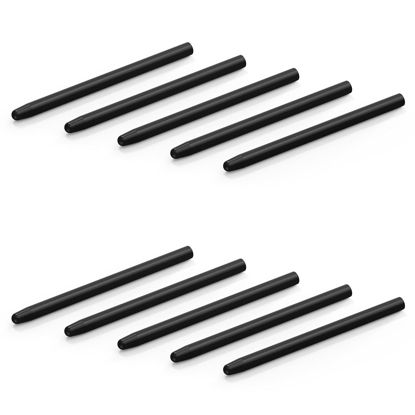
Xencelabs Standard v2 Nibs for Pen Display 24
Standard nibs designed for use with Xencelabs 3 Button pen v2 and Thin pen v2. | Worn down nibs are easily replaced using the nib extractor provided in your pen case.
₹1,871.07
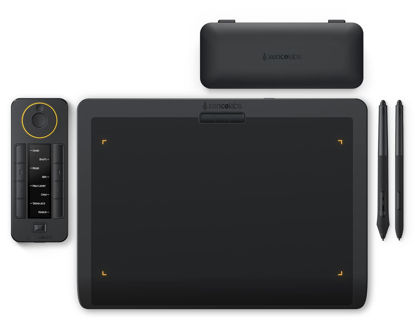
XENCELABS Wireless Drawing Tablet Medium with Quick Keys, Pen Tablet with 2 Battery-Free Pens, 12" Graphics Tablet for Win/Win-ARM/macOS/Linux, Black
Professional Graphic Tablet: Our Pen Tablet was co-designed with the input of industry leading creatives. The active area (10.3”x5.75”) has true 16:9 aspect ratio to match industry standard displays. A minimal design that prioritizes comfort and functionality with features for faster workflows, and a great drawing experience. | Quick Keys: Working in unison with the pen tablet, the shortcut keys gives you 5 sets of 8 keys - a total of 40 programmable functions per application. Includes a physical dial with 4 settings that perform two functions. There is also an OLED display that shows you each key assignment at a glance. This enables you to make logical key groupings for specific steps in the workflow. | Two Battery-free Pens: Two different sized pens come standard with our drawing tablet, both fully customizable to your workflow. The wider barreled, 3 Button Pen has three programmable buttons + eraser to transform this pen into your fully customized tool. The smaller barreled, Thin Pen handles like your favorite pen or pencil and has two assignable buttons + eraser. 8192 levels of pressure sensitivity, 5080LPI pen resolution, tilt recognition, and virtually no lag. | Curved Gentle Slope: The Xencelabs Pen Tablet is designed with a curved slope, which reduces potential tension and stress to create a comfortable, natural drawing experience. Its front edge is narrowed to only 5 mm thin and features a curved slope to form a seamless palm rest. | Easy Installation and User Interface: You can quickly access the settings from the buttons at the top of the pen tablet. The driver settings also make it easy to customize the included Quick Keys. You can easily change, rename sets, keys and device orientation as you need.
₹28,898.73
About us

Shop From Catalogue Of USA Bestsellers
Many times, we want to purchase products from USA simply because they are not available in India or the cost might be high. Generally, we think that the process of delivering the products from USA to India would be very expensive and complicated. But, now, you won't be disappointed, GetUSCart is here for you. Here, you can shop from catalogue of USA bestsellers.
Fast Shipping From USA To India - 7 To 10 Working Days
Are you in thought of shipping USA products to India will take much time? If your answer is yes, it’s absolutely not correct. GetUSCart is behind you to provide fast shipping from USA to India - 7 to 10 working days. GetUSCart is behind you to provide fast shipping from USA to India - 7 to 10 working days. Shop with GetUSCart and get shipped all your favorite products quickly from USA to India.


Low Shipping Cost From USA To India
You don't think about the shipping cost when you are buying USA products at GetUSCart. Literally, you will surprise when you see the shipping price on your ordered products. You can save more money with our low shipping cost from USA to India. Get all our products including beauty & personal care products, office products, toys, electronics and many others with less shipping charges.
No Hassles Of Custom Clearance In India
When items ship from USA to India, they have to go through customs before they will be released for final delivery. So, GetUSCart is responsible for all this custom clearance procedure for our products. We will pay custom duties, fees, taxes and etc. GetUSCart delivers your product without any issues regarding custom clearance.

Get Delivered Your Favourite Product From USA To Doorsteps In India
If you like the United States products, shop at GetUSCart whatever you need. And, get it delivered from USA to your own home in India with no stress. Simply place an order of your favorite products through our GetUSCart website or app. We will ship and deliver them from USA to India.
Don't Find A Product In Our Catalogue. Request A Product Now!
Find products whatever you want in our catalogue. We have various categories of products such as Electronics, Clothing, Shoes & Jewelry, Arts, Crafts & Sewing, Office Products, Toys & Games, Baby Products, Devices & Accessories, Kitchen & Dining, Cameras, Patio, Lawn & Garden, Musical Instruments, Beauty & Personal Care, etc. If you didn’t find your favorite product, you can request us by entering that product details.

K M Enterprises
Suite 311, AKM Dharma Rao Signature
Madinaguda, Hyderabad - 500049
email: [email protected]
All major credit, debit cards, net banking, wallets accepted securely
