







Cookies help us deliver our services. By using our services, you agree to our use of cookies.



XP-PEN
XP-PEN
Displayper page
Sort by
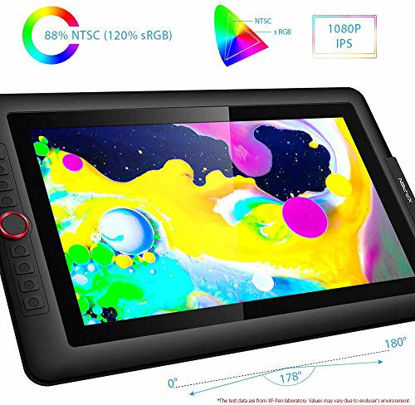
XP-PEN Artist15.6 Pro 15.6 Inch Drawing Pen Display Graphics Monitor Full-Laminated Technology Drawing Monitor with Tilt Function and Red Dial (8192 Levels Pen Pressure, 120% sRGB)
XP-Pen Artist15.6 Pro adopting full-laminated technology, seamlessly combines the glass and the screen, to create a distraction-free working environment that's also easy on the eyes. Artist15.6 Pro pairs a superb color accuracy of 120% sRGB with 178 degrees of visual angle and delivers rich colors, vivid images, and dazzling details in a wider view. Simply connect the Artist 15.6 Pro to your computer with the included HDMI and two USB cables to start drawing without plugging into any wall plug | Artist 15.6 Pro supports 60 degrees of tilt function, allowing it to easily and quickly sense the gesture movement of the stylus to ensure accurate imitation of a real tilting brush effect, delivering smoother and more natural transition between lines and strokes. 8192 levels of pressure sensitivity―providing increased accuracy, control, and fluidity to effortlessly for the finest sketches and lines. And enjoy smooth, enhanced performance with our P05R Battery-free Stylus | The innovative Red Dial interface breaks through the traditional pen display design for optimal efficiency. It fits comfortably in your hand and can be programmed to zoom in and out on your canvas, scroll up and down, and more, giving you the power to create more. Artist 15.6 Pro features 8 fully customizable shortcut keys, puts more customization options at your fingertips, and allows you to optimize your workflow to capture and express your ideas faster and more easily | XP-Pen Artist 15.6 Pro features a slim 11mm profile and easily accessible brightness adjustment buttons, so you can easily adjust it to your preferred brightness for comfortable drawing. Included with the Artist 15.6Pro, the AC 41 easy-to-use stand is built to prevent shaking or sliding and relieve eye fatigue and hand stiffness. Artist 15.6 Pro comes with an anti-reflective coating and helps reduce glare to protect your eyes, so your screen continues to stay crisp and clear even in bright light | Compatible with Windows 10/8/7(32/64bit), Mac OS X version 10.10 or later, and major graphics software such as Photoshop, Painter, Illustrator, Clip Studio, and many more. Sketch, paint. XP-Pen provides a one-year warranty [warranty only valid under the situation that damage is not caused by man-made] and lifetime technical support for all our pen tablets/displays. [Warm Reminder: Artist15.6 Pro drawing pen display must be used with a computer]
₹29,296.68
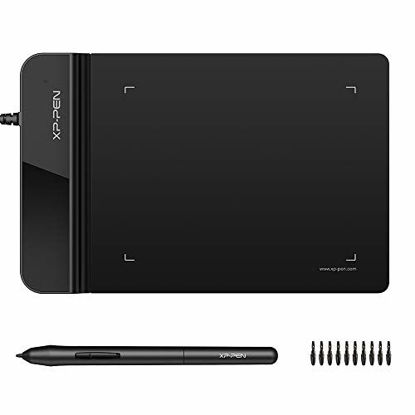
XP-Pen G430S OSU Tablet Ultrathin Graphic Tablet 4 x 3 inch Digital Tablet Drawing Pen Tablet for OSU! (8192 Levels Pressure)
Designed for OSU! gameplay, drawing, painting, sketching, E-signatures etc. No need to install drivers for OSU! Designed for both right and left hand users | The perfect replacement for a traditional mouse! The XP-Pen advanced Battery-free stylus does not require charging, allowing for constant uninterrupted Draw and Play | Active Area: 4 x 3 inches. Fully utilizing our 8192 levels of pen pressure sensitivity―Providing you with groundbreaking control and fluidity to expand your creative output | The Max Report Rate of the G430S has increased to 266 RPS, making lines flow quicker and smoother, enhancing overall performance. The one-click toggle allows you to switch between Pen and Eraser instantly | The G430S is only 2mm thick, it’s as slim as all primary level graphic tablets, allowing you to carry it with you on the go. XP-PEN provides one-year warranty and lifetime technical support for all our pen tablets/displays
₹2,382.57
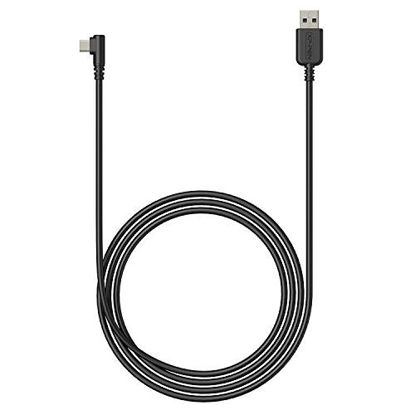
XP-PEN USB Cable only for XP-PEN Deco 01 Deco 01V2 Deco 02 Deco 03 Deco mini4 Deco mini7 Deco Pro Series Drawing Tablet
USB Cable only work for XP-PEN Deco 01 Deco 01V2 Deco 02 Deco 03 Deco Pro Series Drawing Tablet
₹1,359.57
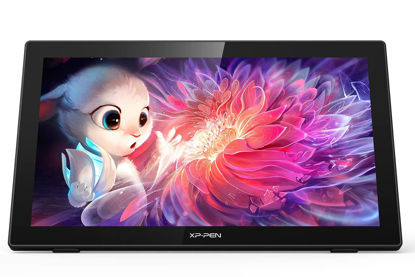
Drawing Tablet with Screen XPPen Artist 22 2nd Computer Graphics Tablet 122% sRGB with 8192 Levels Tilt Function Battery-Free Stylus, 21.5inch Pen Display Compatible with Windows, Mac, Linux
USB-C to USB-C connection: XPPen 22 2nd drawing tablet supports USB-C to USB-C connection(sold separately), which allows you to connect your iMac, Mac Book Pro, or Windows computer without using an adapter | Adjustable stand: With the adjustable stand, you can change the screen’s angle from 16 to 90 degrees to suit your needs and create comfortably. Also, the specially designed cable slot and detachable back cover keep your cables protected and organized | More precise: With better accuracy, XPPen Artist 22 2nd pen tablet lets you draw with more precise cursor positioning, even at the four corners. This ensures a satisfying drawing experience | Richer Color Gamut: With a screen color gamut of 86% NTSC (Adobe RGB≥90%,sRGB≥122%), the 22 2nd Display delivers a diverse and vibrant spectrum of colors, allowing you to create vivid artwork enriched by lifelike hues and sharp details | Premium Pen Technology: The Batteryless stylus supports up to 60 degrees of tilt function and 8,192 pressure sensitivity levels, helping you to effortlessly create exquisite strokes and seamless shading | Wide Compatibility: The 22 2nd drawing monitor supports Windows 10/8/7 and Mac OS X 10.10 (and higher). It is also compatible with popular digital art software, such as Adobe Photoshop, Illustrator, SAI, CDR, GIMP, Krita, MediBang, FireAlpaca, and Blender3D | What You Get: XPPen Artist 22 2nd drawing tablets with screen, 3 in 1 cable or 1 USB C-C cable (sold separately), PA6 Batteryless Stylus, welcome guide | Online Teaching and Working: XPPen Artist 22 2nd drawing monitor computer graphics tablet is designed for digital drawing, painting, sketching, E-signatures, online teaching, remote work, photo editing, it's compatible with Microsoft Office apps like Word, PowerPoint, OneNote, Zoom, Xsplit etc. Works perfect than a mouse, visually present your handwritten notes, signatures precisely
₹40,550.70
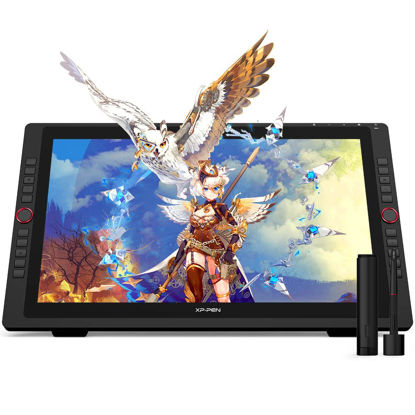
Drawing Tablet with Screen XPPen Artist 22R pro Computer Graphics Tablet 120% sRGB with Battery-Free Stylus Full-Laminated Technology, 21.5 inch Pen Display with 20 Shortcut Keys & 2 Red Dial(Black)
【Brilliant HD LCD Screen】 XPPen Artist 22R pro art tablet comes with a strikingly large 21.5-inch display and features 1080p resolution, allowing you draw, design, model and create directly onto the 22R Pro’s surface, letting you unleash new creative possibilities. | 【Full featured connection】XPPen Artist 22R Pro graphics display supports Type-C to Type-C connection, letting you directly connect your iMac/Mac Book Pro and other Windows computers that support Type-C input to the 22R Pro without using a Type-C to HDMI &USB adapter. (The full-features USB-C cable is included). | 【20 shortcut keys+2 dial】XPPen Artist 22R pro features two easy-to-control red dial wheels and 20 customizable shortcut keys that are conveniently placed on both sides, making it equally accessible for left and right-handed users. | 【protective film】The XPPen Artist 22R Pro comes with a protective film to help protect your screen and reduce glare while keeping your screen crisp and clear even bright light, while the pen holder keeps your pen and pen nibs safe and doubles as a pen stand or pen holder. | 【Adjustable stand】 With the adjustable stand, you can change the screen’s angle from 16 to 90 degrees to suit your needs and create comfortably and freely. Also, the specially designed cable slot and detachable back cover keep your cables protected and organized. | 【Richer Color Gamut】The 21.5 inch FHD Display pairs a superb color accuracy of 88% NTSC (Adobe RGB≧90%,sRGB≧120%), adding brilliance to your creation with more exquisite details and vibrant colors. | 【More precise】With better accuracy, XPPen Artist 22R pro pen tablet lets you draw with more precise cursor positioning, even at the four corners. This ensures a satisfying drawing experience. | 【Advanced Pen Performance】The PA2 battery-free Stylus supports up to 60 degrees of tilt function and provides superior line performance to create the finest sketches and lines. | 【Wide Compatibility】The 22R pro drawing monitor supports Windows 11/10/8/7, Linux (Detailed versions), Mac OS X 10.10 and higher. Compatible with popular digital art software such as Adobe Photoshop, Illustrator, SAI, CDR, GIMP, Krita, Medibang, Fire Alpaca, Blender 3D and more. | 【Package included】 XPPen Artist 22R pro drawing monitor, 2 x Battery-free Stylus, 1 x USB-C to USB-C Cable, 1 x VGA Cable, 1 x HDMI Cable, 1 x Power Adapter, 1 x Power Cord, 1 x Pen Holder (8 replacement pen nibs) , 1x USB-C to USB Adapter, 1 x Quick Guide, 1 x Cleaning Cloth, 1 x Black Drawing Glove, our worry-free 12-month warranty, and friendly customer service. Start your sketch or animation design now!
₹49,695.30
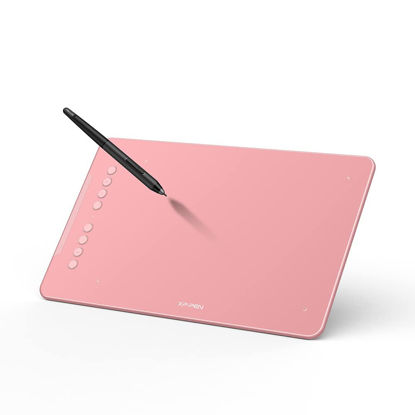
Drawing Tablet-XPPen Deco 01 V2 10x6.25 Inch Graphics Tablet Digital Drawing Tablet for Chromebook with 8192 Levels Pressure Battery-Free Stylus and 8 Shortcut Keys (Pink)
Drawing Tablet: Sufficient Working Erea-The Deco 01 V2’s expansive tablet is big and brilliant, yet still designed to break through the limit between shortcut keys and drawing area | Drawing Pad: Tilt Supported-Deco 01 V2 supports up to 60 degrees of tilt brush effect and delivers smoother and more natural lines and strokes, while also giving you the ability to add shading to your creation | Graphics Tablet: Android Supported-The Deco 01 V2 can be used with Windows 10/8/7, MAC OS X 10.10 and above and Android 6.0 and above and Chrome OS 88.0.4324.109 or above | Computer Graphics Tablet: Customized Shortcuts-The eight, round, customizable shortcut keys that fits easily to your finger tip can be programmed to many different software programs | Digital Drawing Tablet: Wide Compatibility-The Deco 01 V2 is compatible with Photoshop, SAI, Painter, Illustrator, Clip Studio, and more. Contact XPPen to apply for an ArtRage Lite, Explain Everything program
₹6,126.75
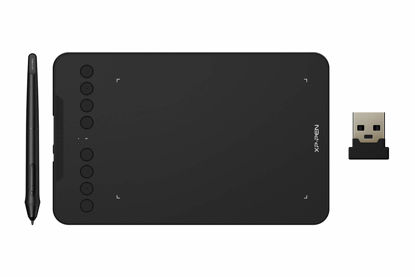
Wireless Drawing Tablet XPPen Deco mini7W Graphic Tablet Pen Tablet with 8192 Levels Pressure, 7 x 4 inch Artist Tablet for Online Teaching/E-Learning Compatible with Window/Mac/Android/Chrome/Linux
【Wired and Wireless Connection】 Our wireless technology allow the XPPen wireless drawing tablet to connect your PC or laptop by simply plugging the included USB dongle into your computer, the 2.4 GHz wireless technology allows you to create with both speed and freedom | 【Battery-Free Pen】 New pen stylus technology supports 8192 levels of pressure sensitivity, tilt-response and virtually lag-free tracking. No need charging and batteries for energy saving. Work and draw won’t be interrupted and make the operation more efficient | 【8 Customized Press Keys】 The easy-to-use Deco mini7W Wireless Graphics Drawing Tablet allows ideas to flow freely. Customize your shortcut keys to tailor your own unique experience | 【Easy Connection】 The Deco mini7W supports a USB-C to USB-C connection (with the included adapter), allowing you to connect the tablet to various computing devices depending on your own need. | 【Wide Compatibility】 XPPen Deco mini7W Wireless Graphics Drawing Tablet is compatible with Windows 7 and above, Mac OS X 10.10 (and higher), Android 6.0 (and higher)and mobile phones, Chrome OS 88.0.4324.109 or above
₹5,789.16
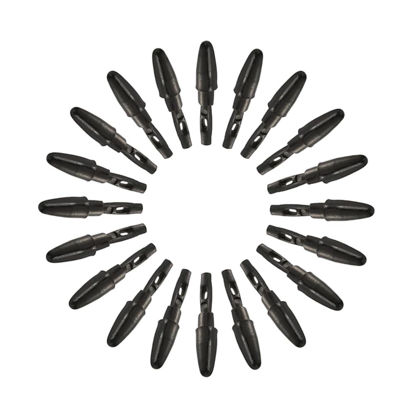
XPPen 20 Pack Replacement Nibs Compatible for Pen Stylus P01/P03/P05 Suitable for Drawing Tablet Star05 StarG640 G640S G640 OSU StarG430S Deco01 V2 Deco mini7W mini7 mini4 Deco Fun
Quantity: 20 pack replacement nibs included | Compatibility: Only suitable for drawing tablet Star05 StarG640 G640S G640 OSU StarG430S Deco01 V2 Deco mini7W mini7 mini4 Deco Fun Series | Suit for Stylus: Compatible for stylus of P01/P03/P05
₹1,564.17
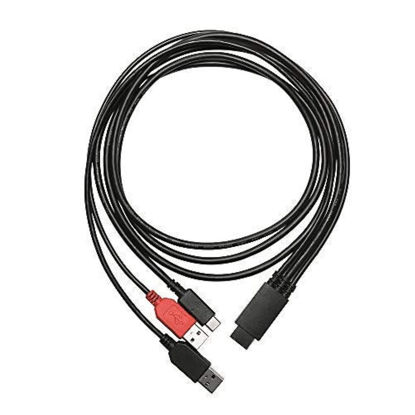
XP-PEN 3-in-1 Cable only for XP-PEN Artist10S V2, Artist12 Pro, Artist13.3Pro, Artist15.6, Artist15.6 Pro Drawing Pen Tablets
This cable only works for XP-PEN Artist10S V2, Artist12 Pro, Artist13.3Pro, Artist15.6, Artist15.6 Pro Drawing Pen Displays
₹3,405.57
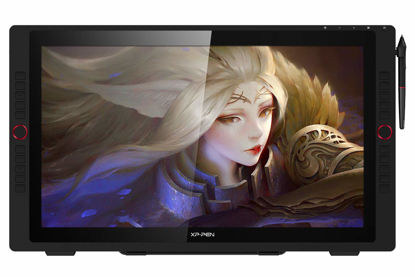
XPPen Artist 24 Pro 2.5K QHD Drawing Tablet with Screen,16.7M Colors Graphics Tablet with 8192 Pen Pressure Battery-Free Tilt Stylus & 20 Shortcut Keys for Windows, Mac, Chrome, Linux, 23.8"
Drawing Tablet: Enough Room for Creation-Featuring stunning 2.5K resolution (2560 x 1440) and a large 23.8-inch display, the Artist 24 Pro delivers remarkably realistic and vivid colors and allows you to craft with astonishing nuance and amazing detail | Drawing Tablet with Screen: Ideal Connections-Artist 24 Pro supports a USB-C to USB-C connection, allowing you to connect your iMac, Mac Book Pro or Windows computer without using an adapter | Graphics Tablets: High Color Gamut-XPPen Artist Display 24 Pro support 90% Adobe RGB color gamut, fuel your creativity with brilliant color and blazing graphics as you draw, design and create on this strikingly large, immersive display | Drawing Monitor: Improve your Workflow-The XPPen Artist 24 Pro features two easy-to-control red dial wheels and 20 customizable shortcut keys on both sides of the product. Friendly for both left and right-handed users. With adjustable stand, you can change the product’s angle to suit your needs, allowing you to create with ease | Drawing Display: Versatility and Compatibility-The XPPen Artist 24 Pro supports Windows 10/8/7 and Mac OS X 10.10 (and higher). The product is also compatible with popular digital art software. Contact XPPen to apply for an ArtRage 5, openCanvas and Cartoon Animator 4 Pipeline drawing program
₹70,145.07
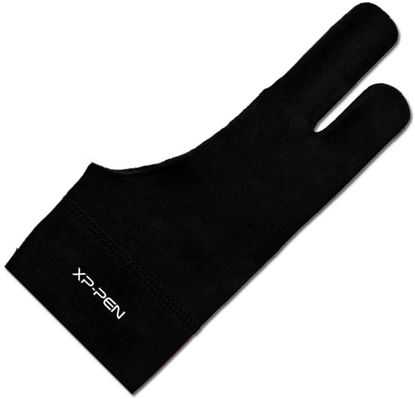
XPPen Artist Drawing Glove 2-Fingers Digital Art Glove for Graphics Drawing Tablet Drawing Glove Right Hand and Left Hand (Size L) Black
High Elastic: The flexible cloth is high elastic material, which have excellent air permeability and high elastic. Comfortable for your finger | For Left and Right Hand: XPPen Drawing Glove always designs to fit your habit. Not only suitable for your right hand, also for your left hand | Soft & Clean: With this soft skin-friendly texture drawing glove, you can stop the smudging for drawing tablet and allow for an easier glide | Color: The black color, which is resistant to dirt. You don't need to wash it frequently | Three Sizes: S, M, and L. Choose the best size according to your hand
₹1,052.67
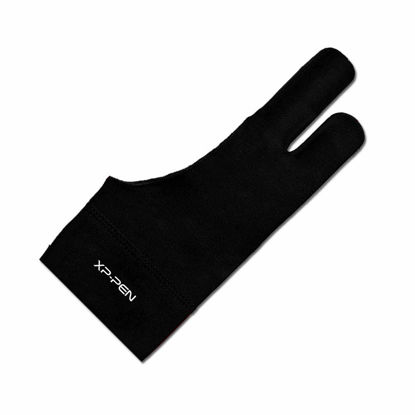
XPPen Artist Drawing Glove 2-Fingers Glove for Graphics Drawing Tablet Suitable for Right Hand and Left Hand (Size M) Black
High Elastic: The flexible cloth is high elastic material, which have excellent air permeability and high elastic. Comfortable for your finger | For Left and Right Hand: XPPen Drawing Glove always designs to fit your habit. Not only suitable for your right hand, also for your left hand | Soft & Clean: With this soft skin-friendly texture drawing glove, you can stop the smudging for drawing tablet and allow for an easier glide | Color: The black color, which is resistant to dirt. You don't need to wash it frequently | Three Sizes: S, M, and L. Choose the best size according to your hand
₹1,154.97
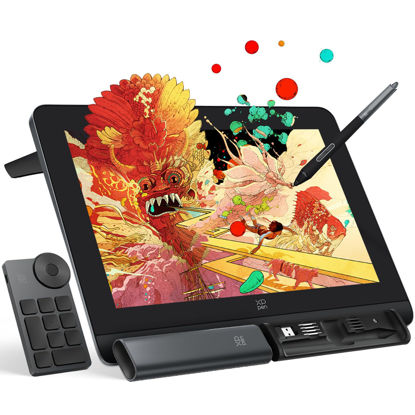
XPPen Artist Pro 14 Gen2 Drawing Tablet with Screen 14 inch Graphic Art Tablet with Full Laminated Anti-Glare Screen 16384 Pressure Levels X3 Pro Battery-Free Stylus 123% sRGB Tilt Stand Mini Keydial
16K Pressure Sensitive: XPPen Artist Pro 14 Gen2 drawing tablet introducing X3 Pro smart chip stylus is a breakthrough innovation boasting industry-first 16K pressure levels, 100%* higher than that of its peers. It delivers much more precise and smooth lines than ever before, excelling at hyper-nuanced creation, a game-changer in details. | Full Laminated Anti-glare Screen: The 14-inch graphic tablet's display adopts full laminated technology, anti-glare etched glass, 16:10 aspect ratio, wide angle of 178°, which all will help you avoid parallax errors between the stylus nib and cursor, precisely positioning every single one of your strokes. TÜV SÜD certified optimizes eye comfort by reducing potentially harmful blue light emissions while delivering excellent color accuracy | Enhanced and Brilliant color coverage: 99% sRGB color gamut coverage and 123% sRGB color gamut area ratio, △E <2.2 high color accuracy, let you create boldly in stunning color accuracy and detail. Every piece of content becomes a feast to look at and comes to life exactly what you imagine | The Artist Pro 14 Gen2 Pen Display Features: A built-in Foldable Stand lets you get your preferred working posture by spreading it; A Wireless Shortcut Remote lets you get easier access to functions to make quick changes; X-Edge Wrist Rest is ergonomic and smooth, letting you combat the tension and fatigue of the wrist that could be produced due to hours of work on end | Strong Compatibility: The 14-inch graphic monitor with screen is compatible with Windows 7 (or later), macOS 10.10 (or later), Android (USB3.1 DP1.2), Chrome OS 88 (or later), and Linux. Bring more possibilities to your creation. It also supports popular digital art software such as Adobe Photoshop, Illustrator, SAI, CDR, GIMP, Krita, MediBang, FireAlpaca, Toonboom, Maya, Blender3D, etc | One-click to switch from display to tablet: The Artist Pro 14 Gen2 drawing monitor supports drawing tablet mode. Just need to long press the power button for 3 seconds, and it will flash in blue and orange alternately. When the screen is off, you're getting a drawing tablet | Awarded Design: The XPPen artist pro 14 Gen2 drawing tablet is a Good Design Award 2023 Winner. It's a game changer in the digital art world | PLEASE NOTE: The 3 in 1 cable is included. It is in a little white box separately in the package. It is NOT a standalone drawing tablet, you need to use it with your computer or laptop
₹33,389.70
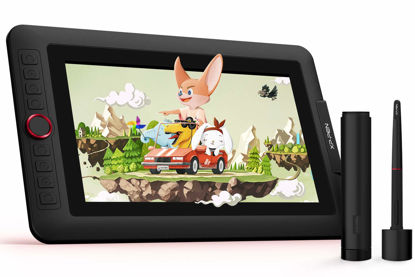
XPPen Artist12 Pro 11.6" Drawing Tablet with Screen Pen Display Full-Laminated Graphics Tablet with Tilt Function Battery-Free Stylus and 8 Shortcut Keys(8192 Levels Pen Pressure and 72% NTSC)
Drawing Display-❤Fully-laminated Screen❤ Artist 12 Pro seamlessly combines the glass and screen. With virtually no parallax, your cursor appears exactly where you want it, offering a real paper-like feel drawing experience. | Drawing Tablet with Screen- ❤Tilt function❤ Artist 12 Pro supports up to 60 degrees of tilt function. So now you don't need to adjust the brush direction in the program again and again. Simply tilt to add shading to your creation and enjoy smoother and more natural transitions between lines and strokes | Drawing Pad-❤Improve your Workflow❤ A sleek Red Dial interface to make your workflow as smooth as possible. 8 fully customizable shortcut keys let you capture and express your ideas faster and more easily | Graphics Tablets-❤Perfect for Beginner❤Features a super-portable screen with an 11.6-inch display area and a convenient 3-in-1 cable design. There's no need to use any adapter and it quickly connects to your computer. Start sketching, doodling, and drawing directly on Artist 12 Pro and begin your creative journey. | Pen Display-❤Adjustbale Stand ❤r-Included with the Artist 12 Pro, the portable stand prevents shaking or sliding and relieves eye fatigue and hand stiffness. The multi-function pen holder keeps your pen and pen nibs safe and doubles as a pen stand or pen holder.
₹20,437.50
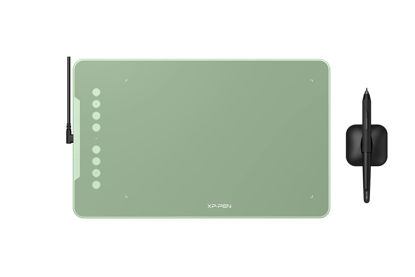
XPPen Deco 01 V2 Drawing Tablet 10x6.25 Graphics Tablet Digital Drawing Tablet for Chromebook with 8192 Levels Pressure Battery-Free Stylus and 8 Shortcut Keys (Green)
Drawing Tablet: Sufficient Working Erea-The Deco 01 V2’s expansive tablet is big and brilliant, yet still designed to break through the limit between shortcut keys and drawing area | Drawing Pad: Tilt Supported-Deco 01 V2 supports up to 60 degrees of tilt brush effect and delivers smoother and more natural lines and strokes, while also giving you the ability to add shading to your creation | Graphics Tablet: Android Supported-The Deco 01 V2 can be used with Windows 10/8/7, MAC OS X 10.10 and above and Android 6.0 and above and Chrome OS 88.0.4324.109 or above | Computer Graphics Tablet: Customized Shortcuts-The eight, round, customizable shortcut keys that fits easily to your finger tip can be programmed to many different software programs | Digital Drawing Tablet: Wide Compatibility-The Deco 01 V2 is compatible with Photoshop, SAI, Painter, Illustrator, Clip Studio, and more. Contact XPPen to apply for an ArtRage Lite, Explain Everything program
₹6,126.75
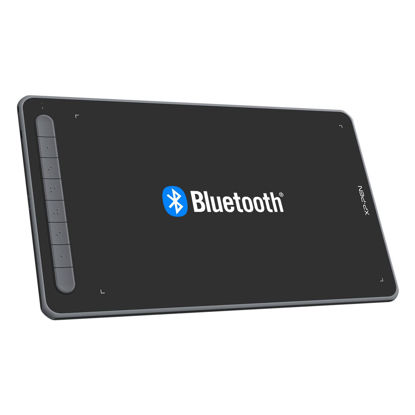
XPPen Deco LW Wireless Drawing Tablet- 10x6 Bluetooth Graphic Tablet with Battery-Free X3 Digital Stylus Wireless Drawing PAD Compatible with Chrome, Windows 11, Linux, Mac, and Android (Black)
Drawing Tablet-Wireless and Wired Connection: Enjoy the freedom of wireless drawing with Bluetooth 5.0 and a portable 10x6 inch drawing area. Connect via USB wireless receiver or wire for reliable connections. | Graphic Tablet-Wide Compatibility and Application: Compatible with Windows 11/10/8/7, Mac OS X 10.10 (and higher), Android 6.0 (and higher), and Chrome OS 88.0.4324.109 or above. Works with major software including Photoshop, SAI, Painter, Illustrator, Clip Studio, GIMP, Medibang, Krita, Fire Alpaca, and Blender 3D. | Drawing Pad-Upgraded Drawing Experience: The X3-Smart-Chip technology in the stylus provides 8192 levels of pressure sensitivity and 60° tilt function for subtle lines and unique masterpieces. | Computer Graphics Tablet-Optimized Workflow: Customize your shortcut keys for a tailored experience. The well-balanced texture of the drawing surface provides smooth and consistent control for increased workflow. | Art Tablet-What You Get: XPPen Deco LW Graphics Drawing Tablet, Dongle, USB A to USB-C Cable, X3 Elite Updated Digital Stylus, USB A to USB-C OTG Adapter, USB A to Micro USB OTG Adapter, 10x Pen Nibs, and User Manual. Register on XPPen Web for Explain Everything or ArtRage Lite program.
₹9,195.75
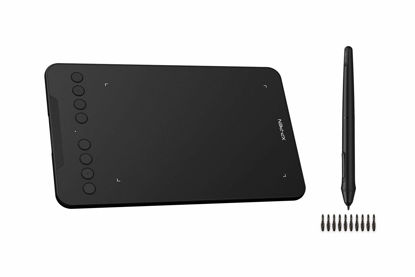
XPPen Deco Mini7 Drawing Tablet Computer Graphic Tablet with 8192 Levels Pressure, 7 x 4 inch Artist Pen Tablet 8 Shortcut Keys for Student E-Learning and Online Teaching Compatible with Chromebook
【8 Customized Press Keys】 Customize your shortcut keys to tailor your own unique experience. Plus the well-balanced texture of drawing surface, which feels smooth and consistent while providing the much-needed friction to keep the stylus in control. | 【Accurate Pen Performance】 Deco mini 7 drawing tablet comes with a Battery-Free Passive Stylus P05D that lasts for long hours, allowing you to create without interruption. The stylus also supports up to 60 degrees of tilt action, making shading easy and effective. | 【compatibility & Application】 XPPen Deco mini 7 computer graphic tablet is support work with the Windows 7 and above, Mac OS X 10.10 (and higher), Android 6.0 (and higher) and Chrome OS 88.0.4324.109 or above. | 【Android Supported】 Deco mini 7 graphic tablet support connect to Android Mobile devices(Mobile phone or tablets) that run Android 6.0 or above operating system with using the included OTG connector. iPhone and iPad do not support. | 【OSU!Assistant】 Special for OSU! gamer! You do not need to any driver software to use the tablet for OSU! . Battery free, sensitive brush, allowing you to play with music and enjoy the game.
₹4,356.96
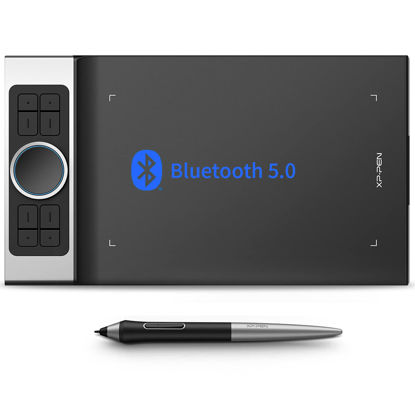
XPPen Deco Pro MW Bluetooth Drawing Tablets 11 Inches Wireless Drawing Tablets 8 Customizable ExpressKeys Art Tablet with 2 Dial Wheels Pen Tablet for Drawing, Painting and Remote Learning
Bluetooth Connection: In addition to the USB wireless receiver connection and wire connection, the Deco Pro MW is delicately integrated with advanced Bluetooth v5.0 chips for reliable wireless connections | More Compatibility and More Possibilities: The Deco Pro series supports Windows 7 or later, Mac OS 10.10 or later, Android 6.0 or later, Chrome OS M88 or later, and Linux. It's compatible with most drawing and design software, including Photoshop, SAI, Painter, Illustrator, and more. Empower your creativity with more possibilities | Battery-free Pen: The PA1 battery-free stylus features a 60-degree tilt function and 8,192 levels of pressure sensitivity. You can shadow easily, draw delicate brushstrokes and lines, and express and present every subtle detail | Efficient Dual Dials and Keys: Deco Pro series features eight responsive shortcut keys and two innovative dial wheels. You can easily program them to fit and improve your workflow. Map them to different shortcut combinations in different software. With Deco Pro, smarter control, greater achievement | Superior Endurance and Continuous Inspiration: The ultra-thin 7mm body of the 11×6 Inches Deco Pro MW is loaded with a large capacity battery. The battery has a long life and satisfies your needs for all-day work in Bluetooth mode. A convenient switch on the back allows you to turn the pen tablet on or off. Slim size, mighty endurance
₹18,054.93
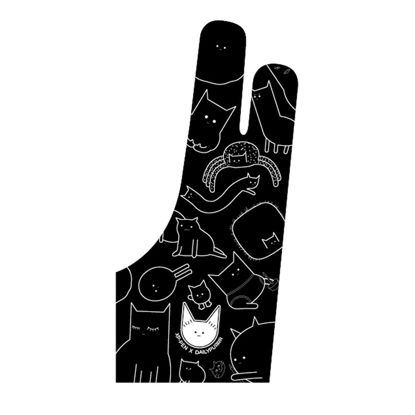
XPPen Digital Drawing Glove Two-Finger Artist Glove for Drawing Tablet Cute Cat Print Drawing Glove Suitable for Right and Left Hand
High Elastic: The flexible cloth is high elastic material, which have excellent air permeability and high elastic. Comfortable for your finger | Cute Cat Print: This black artist glove designs with cute cat print, which is different from other normal style, charming and unique | For Left and Right Hand: XPPen Drawing Glove always designs to fit your habit. Not only suitable for your right hand, also for your left hand | Soft & Clean: With this soft skin-friendly texture drawing glove, you can stop the smudging for drawing tablet and allow for an easier glide | Color: The black color, which is resistant to dirt. You don't need to wash it frequently
₹1,461.87
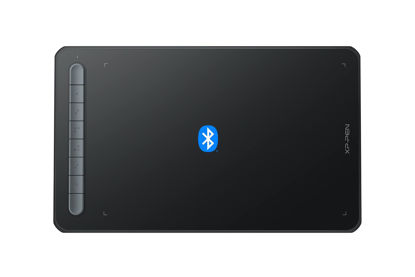
XPPen Drawing Tablet Deco MW Bluetooth Wireless Computer Graphics Tablet, Battery-Free X3 Stylus and 8 Shortcut Keys, Compatible with Chrome OS, Windows 7/8/10/11, Linux, Mac, Android (8x5 in, Black)
Bluetooth Wireless Connection: Equipped with a Bluetooth 5.0 chip, Deco MW Drawing tablet allows you to create without the limitation of cables, allowing you to keep your creative space organized and giving you the freedom to use your Deco MW wherever your inspiration takes you | X3-Smart-Chip Stylus: Deco MW is equipped with new X3-Smart-Chip Stylus, giving you an upgraded drawing experience:faster response,more stable performance ,more precise positioning. And with its 8192 levels of pressure sensitivity and 60 degree tilt function, you can easily shape subtle lines, crafting your unique masterpieces | 8 Efficient Shortcut Keys: The Deco MW Drawing Tablet features eight shortcut keys that can be customized to suit the various shortcut combinations needed, thus replacing a computer keyboard. An assortment of tactile bumps on the keys lets you identify the correct shortcut quickly, even in a dim environment, helping you to speed up your workflow | Excellent Compatibility: Deco MW is compatible with Windows 7/8/10/11, Mac OS X 10.10 (or later), Android 6.0 (or later), Chrome OS 88 (or later) and Linux systems. Deco MW can work with most major art software, including Photoshop, Illustrator, SAI, GIMP, Krita, MediBang Paint, FireAlpaca, Blender and more. The extensive compatibility of the pen tablet expands your creative horizons | What You Get: You will get 1x XP-PEN Deco MW Graphics Drawing Tablet, 1x Dongle, 1x USB A to USB-C Cable, 1x X3 Elite Stylus, 1x USB A to USB-C OTG Adapter, 1x USB A to Micro USB OTG Adapter, 10x Pen Nibs, 1x User Manual. Register your XP-PEN drawing tablet on XP-PEN Web to receive the Explain Everything or ArtRage Lite program
₹7,835.16
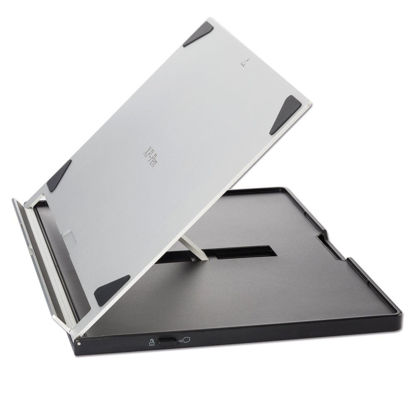
XPPen Drawing Tablet Stand AC18 Multifunctional Metal Drawing Pen Tablet Stand for Pen Display Drawing Graphic Monitor Prevented Skidding Stander Holder
This stand is suitable for XPPen Artist12, Artist13.3 and Artist15.6. Manufactured from 5052 aluminum alloy. Mechanically polished, sand-blasted, and anodized to create a light, stable, durable, and portable stand | Fully collapsible. Can be adjusted from a 0° to 65° viewing angle in 1° increments. Avoid fatigue by adjusting your setup to suit your body’s needs! | Designed to stay put and allow you to work without interruption. No more slipping and sliding! | Engineered to bear high amounts of weight and pressure while remaining compact and lightweight.Sleek, minimalist design created with functionality in mind | Compatible with endless different products; XPPen tablets and monitors, tablets from other brands, iPads, and many moreSpecification:Length: 30cm Width: 24.5cm Height: 0.1cm Weight: 0.42 kg
₹6,126.75
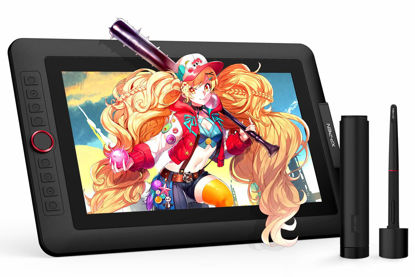
XPPen Drawing Tablet with Screen Full-Laminated Graphics Drawing Monitor Artist13.3 Pro Graphics Tablet with Adjustable Stand and 8 Shortcut Keys (8192 Levels Pen Pressure, 123% sRGB)
Drawing Tablet: Fully-laminated Screen- The Artist 13.3 Pro seamlessly combines the glass and screen, to create a distraction-less working environment, virtually no parallax | Drawing Tablet with Screen: Tilt Function- XPPen Artist 13.3 Pro supports up to 60 degrees of tilt function, so now you don't need to adjust the brush direction in the software again and again. Simply tilt to add shading to your creation and enjoy smoother and more natural transitions between lines and strokes | Graphics Tablets: High Color Gamut- The 13.3 inch fully-laminated FHD Display pairs a superb color accuracy of 88% NTSC (Adobe RGB≧91%,sRGB≧123%) with a 178-degree viewing angle and delivers rich colors, vivid images, and dazzling details in a wider view. Your creative world is now as powerful as it is colorful | Drawing Pad: Improve your Workflow- A sleek Red Dial interface to make your workflow as smooth as possible. 8 fully customizable shortcut keys let you capture and express your ideas faster and more easily | Drawing Display: Versatility and Compatibility- Supports Windows 10/8/7(32/64bit), Mac OS X 10.10 and higher. Compatible with Photoshop, Illustrator, SAI, CDR, GIMP, Krita, Medibang, Fire Alpaca, Blender 3D and more. Or register your XPPen Artist13.3 Pro drawing tablet on XPPen web to apply for an ArtRage 5, openCanvas and Cartoon Animator 4 Pipeline drawing program
₹21,798.09
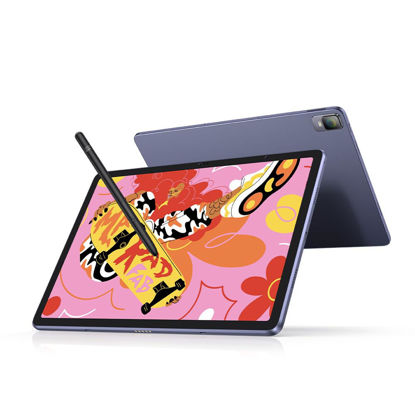
XPPen Magic Drawing Pad 12.2 Inch Standalone Drawing Tablet No Computer Needed with 16384 Pressure Levels X3 Pro Battery-Free Pencil Paper-Like Screen 8GB + 256GB Portable for Digital Drawing Artists
16K Pressure Sensitive Stylus: XPPen magic drawing pad introducing X3 Pro smart chip stylus is a breakthrough innovation boasting industry-first 16K pressure levels, 100%* higher than that of its peers. Free of charging and pairing, pick up to draw. It delivers much more precise and smoother lines than ever before, excelling at hyper-nuanced creation | Natural pen-on-screen experience: The 12.2-inch standalone drawing tablet is crafted with AG-etched technology, 2160*1440 screen resolution, a 3:2 aspect ratio, pairs with a wide color gamut of 109% sRGB and an incredible 16.77 million colors, offers you a paper-like drawing experience in full color | Easy on eyes: Thoughtfully designed with eye comfort in mind, the screen is TÜV Rheinland certified, and enhanced with ten steps of soft light treatment, so you can create without worrying about straining your eyes even when racing against deadlines | Excellent Performance: The no computer needed drawing tablet adopts 8 GB running memory, 256 GB storage memory (expandable up to 512 GB with a micro SD card), thirteen MP rear camera & eight MP front camera allowing you to capture any worthy memory moments | Long Battery Life: The drawing tablet is designed with an 8000 mAh battery, allowing you thirteen hours of non-stop creation. Fully mobile, ultimately flexible to work the way you like | Super portable: 12.2-inch screen, 6.9 mm slim, 599 g light. Slip it into your bag and go | More Ways To Enjoy The Pad: E-books, videos, games, music, photography, you name it! It supports dual windows so you can multitask like a breeze
₹42,269.34
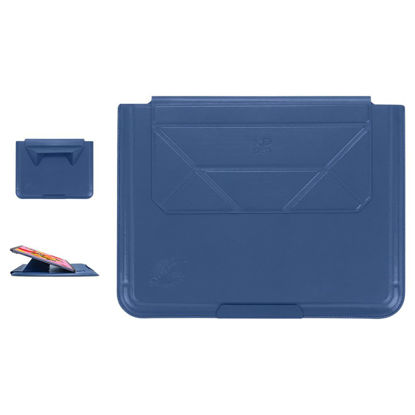
XPPen Magic Drawing Pad Case Storage Bag for Magic Drawing Pad Carry Protective Bag Portable Protective Case for XPPen 12.2 Inch Standalone Drawing Tablet
XPPen Tablet Sleeve Bag For Magic Drawing Pad. More than Packing. Your Carry-on Tablet Stand | A Portable Tablet Stand: The bag can be folded easily to a portable tablet stand, allowing you to draw without location restrictions. The ergonomic 13° angle brings more comfort to your work | The Blend of Style and Practicality: The navy blue faux leather texture offers a dual benefit: it feels soft to the touch while also providing protection against splashes, helping to keep your devices safe from minor spills and moisture. This makes the sleeve both practical and stylish, combining comfort with durability | Carry-on Tablet Stand: The sleek microfiber lining and magnetic snap work together to protect your device's screen, preventing scratches and minimizing the risk of damage from impacts or drops. This combination ensures your tablet stays safe and secure while on the go | Packing at Ease: With an ultra-thin surface and compact design, the sleeve bag leaves enough storage space for the XPPen Magic Drawing Pad
₹5,789.16
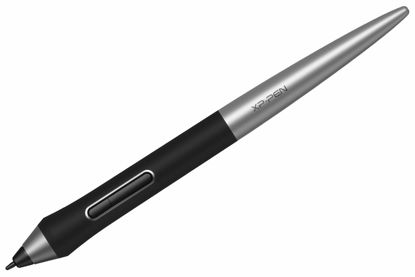
XPPen PA1 Battery-Free Stylus Compatible with XPPen Deco Pro S/Deco Pro M/Deco Pro SW and Deco Pro MW Graphics Tablet for Drawing and Sketching
XPPen PA1 stylus is battery-free and features a nice black and silver design with a sleek pointed end. | XPPen PA1 stylus supports up to 60 degrees of tilt brush effect. | With up to 8,192 levels of pressure sensitivity, the PA1 stylus provides you with precise control and accuracy. | The one-click toggle allows you to switch between pen and eraser modes instantly, creating a more efficient and less frustrating work flow. | It works with Deco Pro S/SW and Deco Pro M/MW.
₹1,973.37
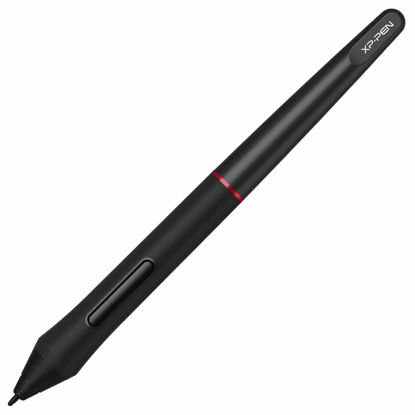
XP-PEN PA2 8192 Pen Pressure Battery-Free Stylus Only for Artist 12 Pro, Artist 13.3 Pro, Artist 15.6 Pro, Artist 22R Pro, Artist 24 Pro
[Battery-free Stylus] The XP-Pen PA2 stylus does not require batteries or charging and supports long hours of uninterrupted drawing, letting you focus on your creation for even longer. | [8192 Levels Pen Pressure] With up to 8,192 levels of pressure sensitivity, it provides you with increased accuracy and enhanced performance to create the finest sketches and lines, even presenting the nuance of different hairs in your pen strokes. | [60 Degrees Tilt Function] Supports up to 60 degrees of tilt function, so now you don't need to adjust the brush direction in the software over and over again. Simply tilt to add shading to your creation and enjoy smoother and more natural transitions between lines and strokes. | [Compatibility] PA2 stylus only suits for Artist 12 Pro, Artist 13.3 Pro, Artist 15.6Pro V2 Artist 22R Pro, Artist 24 Pro. | [What You Get] You will only get 1 x XP-Pen PA2 Stylus. No replacement pen nibs or pen stand in the package.
₹2,382.57
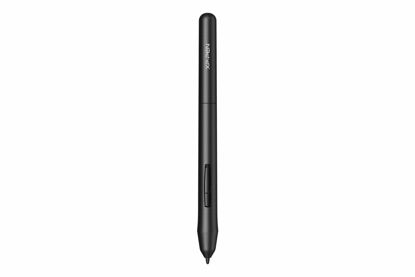
XPPen PN01 Battery-Free Stylus 8192 levels of Pen Pressure Sensitivity Compatible with XPPen Star03 Star06 StarG430S StarG640 M708 Graphic Drawing Tablet (Black)
【Compatibility】The XPPen PN01 stylus only for Star03/Star06/StarG430S/StarG640/M708 Graphic Drawing Tablet. Please confirm your tablet model before you want to order it. | 【Battery-Free Pen】The XPPen advanced Battery-free PN01 stylus does not require charging, convenient and friendly for both you and the environment. | 【8192 levels of Pressure Sensitivity】 Capable of reaching 8192 levels of pressure sensitivity, allowing for constant uninterrupted Draw and Play, making lines flow quicker and smoother, enhancing overall performance. | 【Tiny & Portable】The PN01 stylus is only 10g in weight, smooth feel as the traditional pencil drawing. | 【Customizable Buttons】First, set the pen button to "Eraser toggle" feature, when the pen is placed floating withinthe sensor area, each time you press the button you may toggle between the Pen and Eraser mode; then loosen the pen key, you can use the pen to paint or wipe.
₹2,382.57
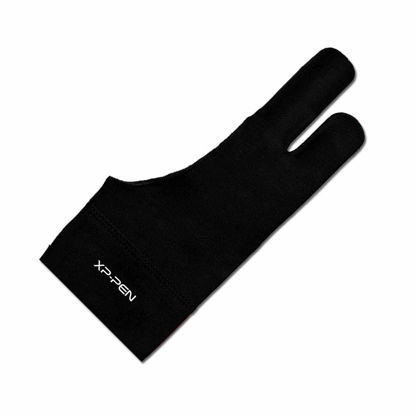
XPPen Professional Artist Glove 2-Fingers Glove for Graphics Drawing Tablet Graphic Monitor Suitable for Right Hand and Left Hand (Size S) Black
High Elastic: The flexible cloth is high elastic material, which have excellent air permeability and high elastic. Comfortable for your finger | For Left and Right Hand: XPPen Drawing Glove always designs to fit your habit. Not only suitable for your right hand, also for your left hand | Soft & Clean: With this soft skin-friendly texture drawing glove, you can stop the smudging for drawing tablet and allow for an easier glide | Color: The black color, which is resistant to dirt. You don't need to wash it frequently | Three Sizes: S, M, and L. Choose the best size according to your hand
₹1,052.67
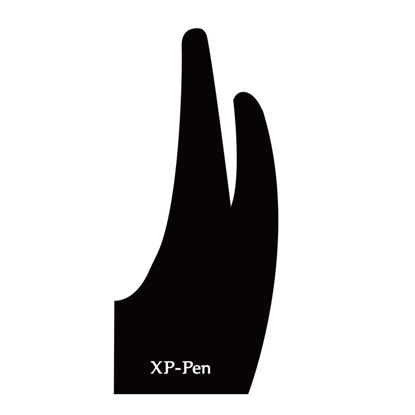
XP-PEN Professional Artist Glove for Graphics Drawing Tablet Graphic Monitor Suitable for Right Hand and Left Hand Free Size
XP-PEN Artist glove with two fingers, makes your drawing more comfortable and elegant(Can't Prevent inadvertently Touch) | Professional design for graphics tablets and tablet monitors. | Made from soft and smooth material, reduces the friction between your hand and the tablet surface, while it does NOT prevent your hand from activating features on touch sensitive tablets. | Classic charming black color, displays your understated luxury inadvertently | Free size glove which can be used on both right and left hand
₹1,052.67
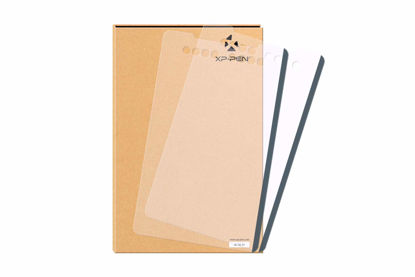
XP-PEN Protector Suitable for XP-PEN Deco 01 and Deco 01 V2 Graphic Drawing Tablet Protective Film (Pack of 2)
The drawing pen tablet protective film only for XP-PEN Deco 02 digital graphic drawing tablet | Package includes: 2 x Deco 01 Protective Film | Specifications Size:345.8 x 211.8 mm
₹1,973.37
XP-PEN Replacement Nibs Only Deco Pro Artist12 Pro Artist13.3 Pro Artist22R Pro Artist24 Pro Graphic Drawing Tablet (20 Pieces)
XP-Pen Replacement Nibs Only for XP-Pen PA1 Passive Pen | 20xReplacement Pen Nibs
₹1,461.87
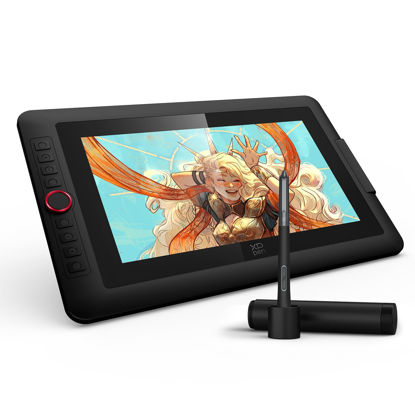
XPPen Upgraded Artist13.3 Pro V2 Drawing Tablet with Screen, 16384 Pen Pressure X3 Pro Stylus Pen Display, 99% sRGB Full-Laminated AG Screen Graphic Tablet with Stand, Red Dial, 8 Shortcut Keys 13.3"
Word-first 16K Pressure Levels: 1.5x* faster than ever. Initial response rate decreases to 90ms*. Accuracy increases by 20% to bring out every art project precisely what you want. Virtually no lag or broken lines. X3 pro smart chip stylus delivers much more precise and smooth lines than ever before - exceling athyper-nuanced creation and beyond | Easy Control, One Scroll for All: Easy & efficiency Red Dial Quick Key simplifies the interface for beginners, like aspiring graphic designers and junior illustrators, allowing them to master essential controls such as brush size, navigation and zoom In/Out. This design ensures a natural hand position, reducing wrist strain during prolonged use. Additionally, with 8 customizable keys, users can easily assign frequently used functions, streamlining their workflow and minimizing interruptions | User-friendly Setup: Understanding that many artists and designers, especially beginners, may not be tech-savvy,the new 13-inch drawing tablet features clear setup instructions for hassle-free installation. With an updated driver and intuitive interface, users can easily configure the drawing screen, and pens with a single installation. Quick access to settings allows adjustments to brightness, contrast, and color temperature (Windows only), enabling even newcomers to start creating right away | Stunning Color Accuracy: Featuring 125% sRGB, 107% Adobe RGB, 95%display P3 color gamut, this tablet ensures every stroke has exceptional color fidelity. With 16.7 million colors at 8-bit depth, you can enjoy smooth gradients and rich transitions. The 250 cd/m² brightness and 1000:1 contrast ratio provide clearer, more vivid images, allowing artists to see their creations accurately. Ideal for both professionals and hobbyists | Exceptional Visual Experience: Our 13.3-inch drawing tablet features a full-laminated screen with AG Film, reduces parallax and glare for a paper-like feel. With Full HD resolution and an IPS panel, enjoy vibrant colors and sharp details from a wide 178° viewing angle, ideal for drawing, animation, photography, fashion, architecture design, and much more | Adjustable Stand AC42: The Adjustable Stand(330.15mmx223.17mm) provides a stable base for tablets up to 13.3 inches, ensuring security and better heat dissipation. Its 90-degree angle adjustment promotes better posture and reduces neck and wrist strain, making it ideal for artists and designers during long sessions | Versatility and Compatibility- Supports Windows 7 (or later), macOS 10.13 or later, Chrome OS 88 (or later), Android (USB3.1 DP1.2), and Linux. Compatible with Photoshop, Illustrator, SAI, CDR, GIMP, Krita, Medibang, Fire Alpaca, Blender 3D and more | PLEASE NOTE: Full-Featured USB-C cable is included. It is NOT a standalone drawing tablet, you need to use it with your computer or laptop
₹24,181.68
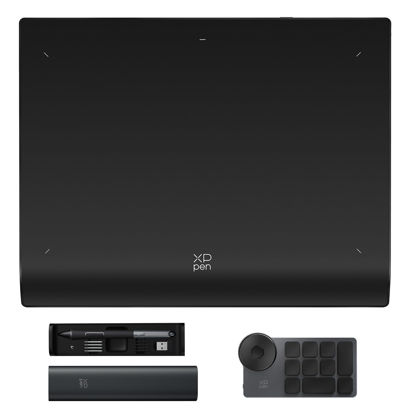
XPPen Wireless Drawing Tablet Deco Pro LW 2nd, 11 Inch Bluetooth Computer Graphics Tablet with X3 Pro Stylus & Mini Key-dial, Digital Drawing Pad for Animation, Digital Art, Video Editing
Wireless Freedom: Connect to your device via Bluetooth v5.0, USB wireless receiver, or wire connection for reliable and flexible use. Deco Pro Gen2 drawing tablet supports two devices pairing simultaneously, switching between them with one click. Large-capacity lithium battery (1000mAh/3.7V) for over 10 hours of battery life. Note: Bluetooth wireless connection is not compatible with Android and Linux | X3 Pro Batteryless Stylus: The upgraded X3 Pro stylus with eraser features 16k levels of pressure sensitivity and a 60-degree tilt function for precise and natural drawing and painting | Elegant Design: One paper design provides a larger work area, which meets standard A3 paper size. The metal back plate helps your drawing pad cool better, preventing overheating and improving performance. Plus, the X-edge design will combat the tension and fatigue of your wrist | Efficient Workflow: With 10 keys and the ability to customize up to 4 sets of shortcuts, the XPPen Wireless Shortcut Remote is a powerful productivity tool for creation, study, work, and gaming | More Compatibility: Wire connection is compatible with Windows 11/10/8/7 (32/64bit), Mac X 10.10 or later, Android, Chrome OS 88 or later, and Linux。 Note: Bluetooth wireless connection is not compatible with Android 10.0 (or later), and Linux
₹16,008.93
About us

Shop From Catalogue Of USA Bestsellers
Many times, we want to purchase products from USA simply because they are not available in India or the cost might be high. Generally, we think that the process of delivering the products from USA to India would be very expensive and complicated. But, now, you won't be disappointed, GetUSCart is here for you. Here, you can shop from catalogue of USA bestsellers.
Fast Shipping From USA To India - 7 To 10 Working Days
Are you in thought of shipping USA products to India will take much time? If your answer is yes, it’s absolutely not correct. GetUSCart is behind you to provide fast shipping from USA to India - 7 to 10 working days. GetUSCart is behind you to provide fast shipping from USA to India - 7 to 10 working days. Shop with GetUSCart and get shipped all your favorite products quickly from USA to India.


Low Shipping Cost From USA To India
You don't think about the shipping cost when you are buying USA products at GetUSCart. Literally, you will surprise when you see the shipping price on your ordered products. You can save more money with our low shipping cost from USA to India. Get all our products including beauty & personal care products, office products, toys, electronics and many others with less shipping charges.
No Hassles Of Custom Clearance In India
When items ship from USA to India, they have to go through customs before they will be released for final delivery. So, GetUSCart is responsible for all this custom clearance procedure for our products. We will pay custom duties, fees, taxes and etc. GetUSCart delivers your product without any issues regarding custom clearance.

Get Delivered Your Favourite Product From USA To Doorsteps In India
If you like the United States products, shop at GetUSCart whatever you need. And, get it delivered from USA to your own home in India with no stress. Simply place an order of your favorite products through our GetUSCart website or app. We will ship and deliver them from USA to India.
Don't Find A Product In Our Catalogue. Request A Product Now!
Find products whatever you want in our catalogue. We have various categories of products such as Electronics, Clothing, Shoes & Jewelry, Arts, Crafts & Sewing, Office Products, Toys & Games, Baby Products, Devices & Accessories, Kitchen & Dining, Cameras, Patio, Lawn & Garden, Musical Instruments, Beauty & Personal Care, etc. If you didn’t find your favorite product, you can request us by entering that product details.

K M Enterprises
Suite 311, AKM Dharma Rao Signature
Madinaguda, Hyderabad - 500049
email: [email protected]
All major credit, debit cards, net banking, wallets accepted securely
